If you're searching for "Google Ads MCP", you're asking one of two things: does Google Ads have an MCP server? or how do I connect Google Ads to an AI assistant via the Model Context Protocol?
⚠️ No official Google Ads MCP server yet. Community options exist — details below.
What Is MCP?
Model Context Protocol (MCP) is an open standard developed by Anthropic that lets AI assistants — like Claude — connect to external tools, APIs, and data sources in a standardised way.
Before MCP, every AI integration required bespoke tooling: custom prompts, custom API wrappers, and custom glue code to pass context back and forth. MCP replaces that with a common interface: the AI asks the MCP server for data or actions, the server returns structured results, and the AI uses them to answer your question or complete a task.
In plain terms: MCP is how you give an AI assistant live access to Google Ads — not just knowledge about it, but real, up-to-date data from your account.
What a Google Ads MCP Integration Does
Once Google Ads is connected via MCP, your AI assistant can:
- Read live data — pull records, metrics, activity, and status directly from Google Ads
- Take actions — create, update, or log records based on your instructions
- Cross-reference context — combine Google Ads data with other connected tools mid-conversation
The key difference from a standard chatbot: the assistant is not working from training data or memory. It is reading your actual Google Ads instance, in real time.
Practical Google Ads MCP Use Cases
Read and query ${displayName} from chat
Instead of switching to the Google Ads dashboard, ask your AI assistant to fetch the data you need and return it in a readable format — right in your conversation.
Write back to ${displayName} without leaving chat
Have the assistant create, update, or log records in Google Ads based on your instructions — with a confirmation step before any write action executes.
Cross-tool context stitching
The assistant pulls data from Google Ads alongside other connected tools and surfaces the combined context where it's most useful — without manual copy-paste.
Google Ships an Official Google Ads MCP Server — and It Rewrites the Setup Story
The base template above describes the pre-MCP world: apply for a developer token, wade through Google Cloud Console, build a proxy around GAQL queries, and write a skill file. That path still works, and for a scheduled, unattended paid-media agent it remains the most controllable option. But the single biggest thing most "Google Ads + AI" guides are still missing is this: Google maintains an official, first-party MCP server for the Google Ads API, at github.com/googleads/google-ads-mcp, Apache-2.0 licensed and installable as a Python package. It changes the default answer for interactive paid-media work.
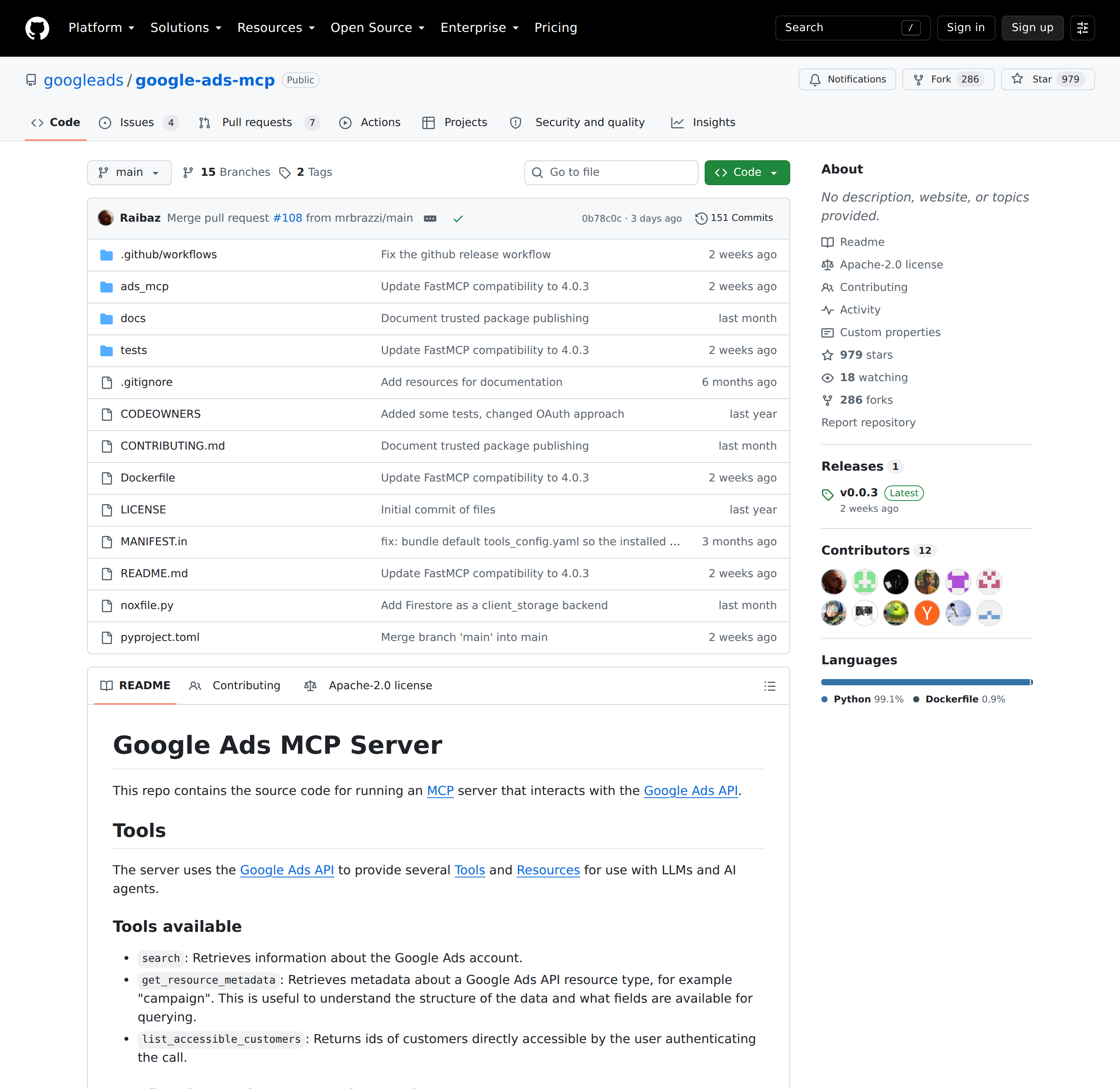
Google's official Ads MCP server repo — Apache 2.0, runnable via pipx run --spec "google-ads-mcp==X.Y.Z" google-ads-mcp.
What the official server actually exposes
Unlike the sprawling 29-tool Meta Ads MCP, Google's server is deliberately small. Every version so far ships three tools plus four read-only resources:
| Tool | What it does |
|---|---|
search |
Runs a GAQL query against a Google Ads account — this is the workhorse, and it is what a reporting agent will call most |
get_resource_metadata |
Returns the field schema for a resource (e.g. campaign) so the assistant can build a valid query instead of guessing field names |
list_accessible_customers |
Lists the customer IDs the authenticated user can reach (the account-discovery step) |
The bundled resources are just as useful for an agent that must stop hallucinating field names: discovery-document (the full API surface), metrics (every reportable metric), segments (every reportable segment), and release-notes (the latest API version notes). Google's own README says the host LLM should read discovery-document to understand what is available before it builds a query.
The namespace config is the part nobody mentions — and it's the best governance lever
The server ships with a tools_config.yaml that lets you enable, disable, and rename tools and tool categories. This matters more than it sounds: it is how you stop an agent from doing something it shouldn't, without writing any code.
namespaces:
  # Option 1: enable a category with its default prefix -> "customers_list_accessible_customers"
  customers: true
  # Option 2: enable a category with a custom prefix -> "query_search"
  search: "query"
  # Option 3: fine-grained control inside a category
  metadata:
    enabled: true
    prefix: "metadata"
    enabled_tools:
      - get_resource_metadata: true
The config resolves in a strict order: the path in GOOGLE_ADS_MCP_TOOLS_CONFIG, then a tools_config.yaml in the working directory, then the bundled default. If an explicitly requested config file is missing or invalid, the server raises an error and fails to start — it does not silently fall back. That fail-closed behaviour is exactly what you want in a scheduled agent, but it also means a typo in a YAML key takes the whole integration down.
Three credential paths, and only one of them suits a cron job
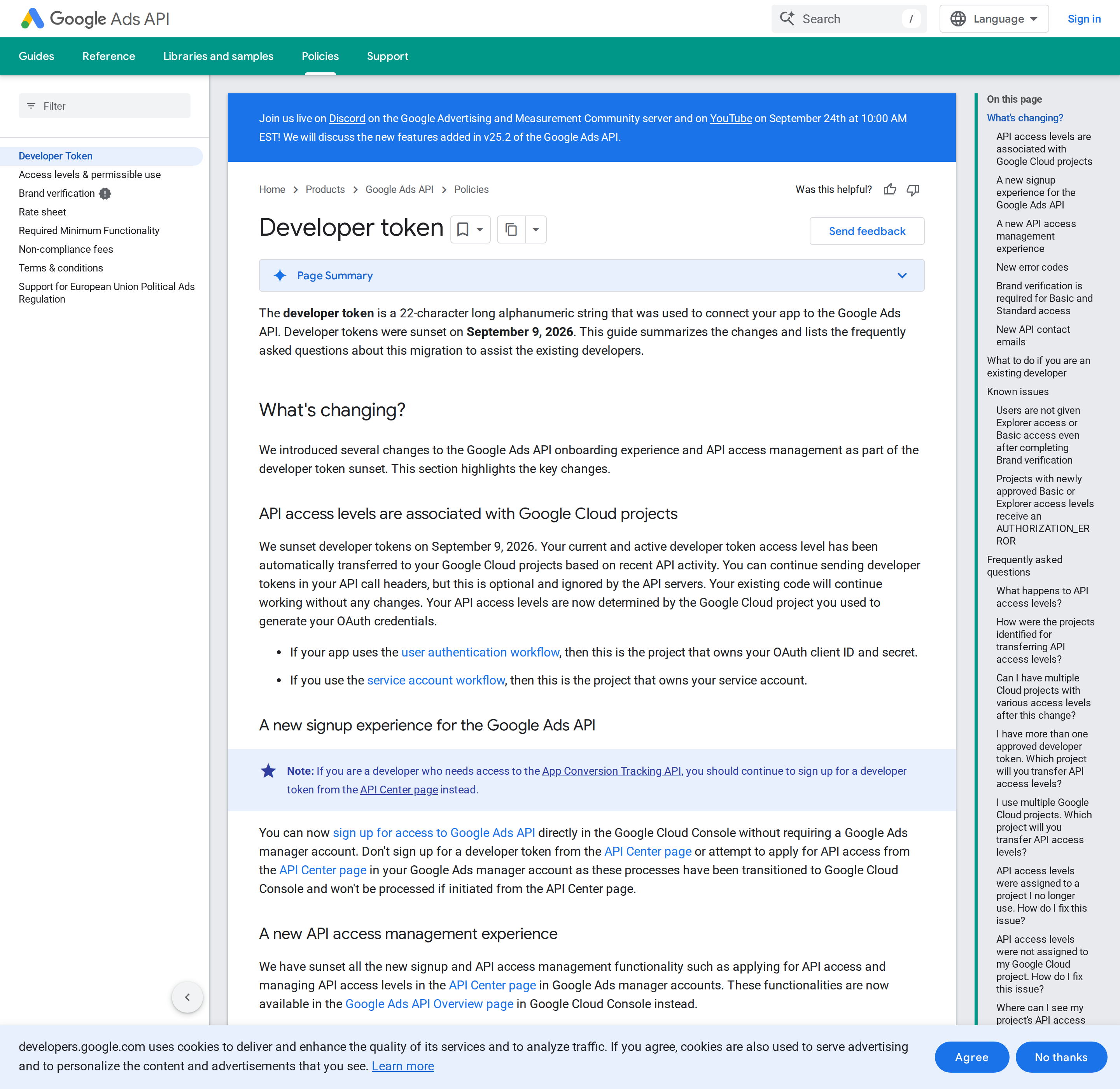
The access-level model the MCP server inherits — Test, Basic, and Standard, now attached to Google Cloud projects rather than a token string.
Path 1 — FastMCP OAuth proxy (recommended for a shared server). Set GOOGLE_ADS_MCP_OAUTH_CLIENT_ID, GOOGLE_ADS_MCP_OAUTH_CLIENT_SECRET, and optionally GOOGLE_ADS_MCP_BASE_URL, GOOGLE_ADS_MCP_JWT_SIGNING_KEY, and the storage variables (filetree, redis, firestore, or memory). Setting these switches the server from stdio to streamable-HTTP automatically, so you run it as a separate process and point clients at http://localhost:8080/mcp. If several local clients share one server, prefer this — and note the README's explicit warning that the ADC method "provides less credential isolation than the server-managed Streamable HTTP deployment."
Path 2 — Application Default Credentials (per-client stdio). The MCP client launches the server as a subprocess and its config carries the credentials path and developer token:
{
  "mcpServers": {
    "google-ads-mcp": {
      "command": "pipx",
      "args": ["run", "--spec", "git+https://github.com/googleads/google-ads-mcp.git", "google-ads-mcp"],
      "env": {
        "GOOGLE_APPLICATION_CREDENTIALS": "PATH_TO_CREDENTIALS_JSON",
        "GOOGLE_PROJECT_ID": "YOUR_PROJECT_ID",
        "GOOGLE_ADS_DEVELOPER_TOKEN": "YOUR_DEVELOPER_TOKEN"
      }
    }
  }
}
Path 3 — the Google Ads Python client library's google-ads.yaml. If you already have a working google-ads.yaml, you can reuse it; the README notes you must change get_googleads_client() in utils.py to use load_from_storage().
The developer-token migration that will break stale tutorials
This is the fact that dates every Google Ads integration guide written before September 2026: developer tokens were sunset on September 9, 2026. Google automatically transferred each active token's access level onto the Google Cloud project used to generate the OAuth credentials — which is the project that owns your OAuth client ID/secret (user-auth flow) or your service account (service-account flow). You can keep sending the token header; it is optional and the API servers ignore it. New setups can now sign up for Google Ads API access directly in the Google Cloud Console without a manager account at all. The one exception: if you need the App Conversion Tracking API, you must still request a developer token from the API Center.
Client configuration gotchas
If you use a streamable-HTTP server, the mcpServers entry uses serverUrl, not the older httpUrl key — some clients (Antigravity 2.8.1+, for example) reject the old key outright. And if your account access runs through a manager (MCC) account, you must add the manager account's customer ID to the settings file, or every search call returns data for the wrong account or fails on permissions.
What You Can Actually Do with Google Ads MCP
These prompts map to real GAQL work the server is designed for:
Morning spend and pacing brief
"Using account 1234567890, show me spend, conversions, and cost per conversion for the last 7 days by campaign, compared with the previous 7 days." The search tool takes a GAQL string like SELECT campaign.name, metrics.cost_micros, metrics.conversions FROM campaign WHERE segments.date DURING LAST_7_DAYS. Note that cost comes back in micros — 1,000,000 micros = 1 currency unit, and forgetting that divide is the most common Google Ads reporting mistake in AI outputs.
Wasted-spend and search-term audit
"Which search terms with more than 10 clicks in the last 30 days had zero conversions, and which campaign did they come from?" This is search_term_view joined to campaign, and it is the single highest-value recurring task for most paid-search teams — the wasted spend is usually right there in the long tail.
Change history before a meeting
"Show me every campaign and budget change in this account in the last 14 days and who made it." change_event gives you the audit trail that explains why the numbers moved, which is exactly the context the base guide's "CPA drift" caveat is about.
Build a valid query instead of guessing
"Show me the fields available on ad_group_criterion before I ask for a report." The assistant calls get_resource_metadata, pulls the schema, and then constructs the search call with real field names. Wiring this step into your skill file removes the "the assistant invented a column that doesn't exist" failure mode entirely.
Common Pitfalls Specific to Google Ads MCP
Micros, and three other silent unit conversions
metrics.cost_micros, metrics.average_cpc, and metrics.cost_per_conversion are all in micros. Conversion values are in your account currency as normal floats. Mixing these up produces a report that is technically valid and off by six orders of magnitude. Say so explicitly in your skill file.
GAQL is not SQL and the model will get it wrong first time
Google's query language has its own grammar: WHERE segments.date DURING LAST_7_DAYS is valid, WHERE date > '2026-09-01' is not the same thing, and you must SELECT a resource's fields with the correct resource prefix. This is why the bundled discovery-document and metrics/segments resources exist. Ask the assistant to read them before writing a query, and treat a first-attempt syntax error as normal rather than a broken integration.
Access level gates production data, and the error message names it
If search answers with "The developer token is only approved for use with test accounts", you are on Test access, not seeing real campaign data. Google's own README spells this out and points at the access-levels documentation. Because the token sunset moved access levels onto the Cloud project, an "it worked yesterday" failure often means the OAuth credentials were regenerated in a different project with a lower access level.
The server exposes your account data to whatever LLM you connect
The MCP README states it plainly: "The MCP Server will expose your data to the Agent or LLM that you connect to it." On top of that, Google adds an extra header to your API calls for usage telemetry. Neither is a reason to avoid the server — but both are reasons to run it with a narrow tool config (the namespaces mechanism above), a read-only-scoped credential where possible, and a clear-eyed view of which model and host you are handing ad account access to. Your spend data is commercially sensitive; treat the connector accordingly.
It is a local/server process, not a hosted Google endpoint
There is no mcp.googleapis.com/ads URL to paste into a client. You (or a container) run the Python package, and the client talks to your process. That is more operational work than Meta's hosted Ads MCP — but it is also why the credential isolation story above matters, and why this is a perfectly reasonable thing to run next to a self-hosted OpenClaw on your own box.
Read the two adjacent tools before you pick one
There is also a Gemini-powered "Google Ads API Developer Assistant" and Google Ads API agent skills shipped by Google for authoring code against the API. Add those to the official MCP server and the Python client library, and "Google Ads MCP" now names at least four different things. Decide whether your job is querying an account conversationally (the MCP server) or writing integration code (the developer assistant and client library) before you follow any tutorial.
Google Ads MCP vs. the Direct GAQL Proxy
For interactive, exploratory paid-media work — "why did CPA move", "which search terms wasted spend" — the MCP server wins on setup time and removes the whole custom proxy layer. For a scheduled, unattended agent that must run the same reporting job every morning, the direct API path still gives you tighter control over retries, caching, and exactly which fields you pull. Google's own guidance points the same way: MCP when a human is in the loop, the client libraries and API when the job must run on a schedule. See our related walkthroughs for Google Analytics MCP and Connecting OpenClaw with Google Analytics if you are comparing the measurement and paid-media paths side by side.
Also read
- Connecting OpenClaw with Google Ads: A Practical Guide — the self-hosted, skill-file route to the same account data
- How to use Google Ads with ChatGPT — the same account, wired into a different assistant
How to Connect Google Ads via MCP
There are two main paths:
Option A: Use a community MCP server for Google Ads
No company-maintained MCP server currently exists for Google Ads. Community-built servers are available — search the MCP Registry or GitHub for "Google Ads MCP server".
What you'll need:
- An MCP-compatible client (Claude Desktop, OpenClaw, or another host)
- A running MCP server process with Google Ads credentials configured
- Basic familiarity with running a local service or Docker container
Community servers vary in completeness and maintenance quality — review the repo before committing to one.
Option B: Use Cody (OpenClaw-based, managed)
Cody is built on OpenClaw and supports MCP-compatible integrations out of the box. You connect Google Ads once from the Cody dashboard — no server to run, no code to write — and Cody handles authentication, context passing, and write-back actions with appropriate guardrails.
Cody works where your team already operates: Slack, Telegram, or the web chat. The Google Ads connection is available to your entire team without each person setting up their own MCP client.
Want Google Ads Connected to AI Without Running Your Own MCP Server?
Cody gives your team a Google Ads assistant in Slack, so people can review campaign performance, spot wasted spend, track CPA and ROAS changes, and get PPC updates without living inside Google Ads dashboards.
MCP vs Other AI Integration Patterns
| Approach | What it is | Tradeoff |
|---|---|---|
| MCP | Standardised protocol for live tool access | Requires an MCP server; most powerful when set up correctly |
| RAG (retrieval) | Pre-index Google Ads content and retrieve it | Good for static docs; not suitable for live/transactional data |
| Manual copy-paste | Paste Google Ads output into ChatGPT/Claude | Fast to start; breaks for anything recurring or at scale |
| Custom API wrappers | Bespoke integration code per tool | Full control; high maintenance overhead |
MCP wins when you need live data from Google Ads and want to avoid rebuilding integrations as APIs change.
Common Mistakes
- Using training data when live data is needed — if the AI doesn't have an MCP connection, it will answer from memory, which is often outdated or wrong for account-specific questions
- No write-back guardrails — MCP can write to Google Ads, so it's worth adding an approval step for any action that modifies records
- Too many tools exposed at once — give the AI access to the Google Ads actions it actually needs; a scoped connection is easier to reason about and audit
- Skipping structured outputs — ask the AI to return structured JSON or clear fields when writing back to Google Ads; free-form output is harder to validate
Related MCP Guides
Want the full workflow picture? See: Google Ads AI Automation and How to Connect Google Ads to OpenClaw.