If you're searching for "how to connect LinkedIn to OpenClaw", the real question is usually not just whether the connection is possible. It's how to make LinkedIn usable inside an OpenClaw workflow with the right model, the right context, and the right level of control.
That's the practical framing.
OpenClaw gives you the orchestration layer: connectors, skills, tools, prompts, approvals, and the ability to run workflows where your team already works. LinkedIn provides the domain context. The integration becomes valuable when those two pieces are connected cleanly.
LinkedIn + OpenClaw: What You're Actually Building (And What You Can't)
When people search for "how to connect LinkedIn to OpenClaw," they usually have one of two jobs in mind, and only one of them is possible:
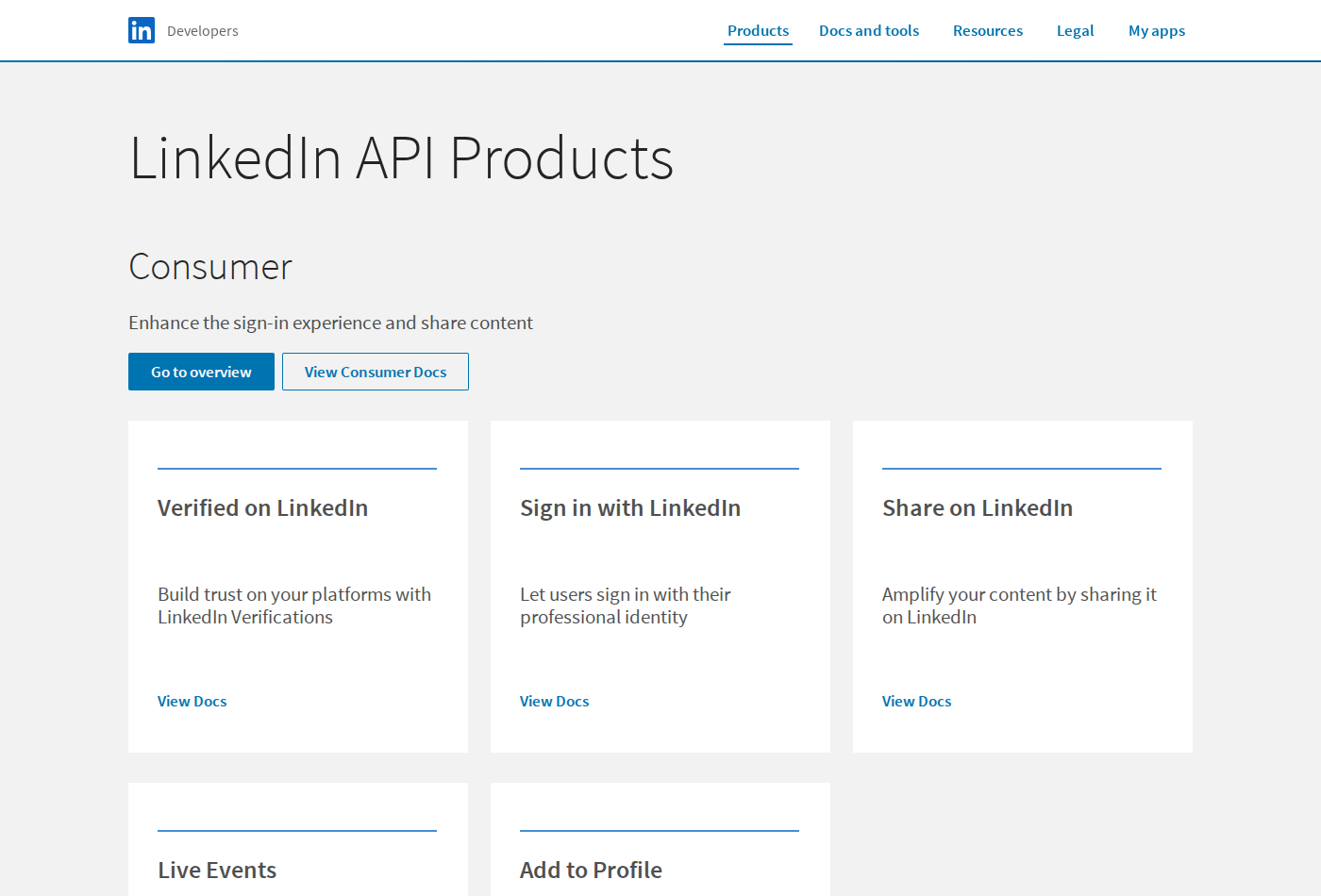
- Company-page operations — pull page analytics, track follower growth, read and publish posts for a LinkedIn Page your team admins. This is genuinely supported.
- Outbound prospecting — search for people, read their feeds, send connection requests, and DM them at scale. This is not supported by any official API, at any price, on any tier.
Almost every "LinkedIn automation" project dies at API approval rather than at implementation. So before you write a single line of proxy code, get honest about which of those two you're building.
OpenClaw is a great orchestration layer for the first job: it gives you connectors, skills, prompts, approvals, and a place where the answer lands (Slack, Telegram, or a chat surface your team already uses). LinkedIn supplies the domain context. The integration is worth building only when that pairing is real.
Three Integration Paths — Pick By Capability, Not Convenience
| Path | What you get | Complexity | Headless / cron? |
|---|---|---|---|
| Direct REST API + OpenClaw skill file | The supported LinkedIn surface: org page posts, page analytics, ads reporting | High — you build the proxy | ✅ With an offline refresh_token |
| Marketing Developer Platform partner tooling | The same API with higher quotas and richer reporting | Very high — formal partner review | ⚠️ Only if approved |
| Browser automation / unofficial scraping tools | Anything you can click as a human | Low to set up, extreme to own | ❌ Violates the User Agreement |
There is no official first-party LinkedIn MCP server. This is the single most important fact on this page, and it is the opposite of where most competitor guides lead you. Anthropic, OpenAI, and the MCP ecosystem have first-party servers from Notion, HubSpot, Stripe, Atlassian, GitHub, and dozens of others — LinkedIn is not among them. Everything you'll find marketed as "LinkedIn MCP" in 2026 is a wrapper around either the Marketing API (organisation-scoped, the legitimate subset) or an unofficial scraping library (the risky subset). Verify which one you're looking at before you wire it into a production agent — the tool names look almost identical.
Cody's own LinkedIn AI assistant covers the supported half of this surface without you standing up a proxy at all.
Path A: Direct REST API + OpenClaw Skill File (The Honest Baseline)
This is the path that works, is stable, and won't get an account restricted. It is also more work than most guides admit: you are building a small service, not filling in a config block.
The shape of it:
- Create a LinkedIn app at
developer.linkedin.com. New apps must be associated with a LinkedIn Company Page — this is the first gate, and it stops individual developers cold. - Apply for the specific Products you need (see the table below). Nothing useful is granted by default.
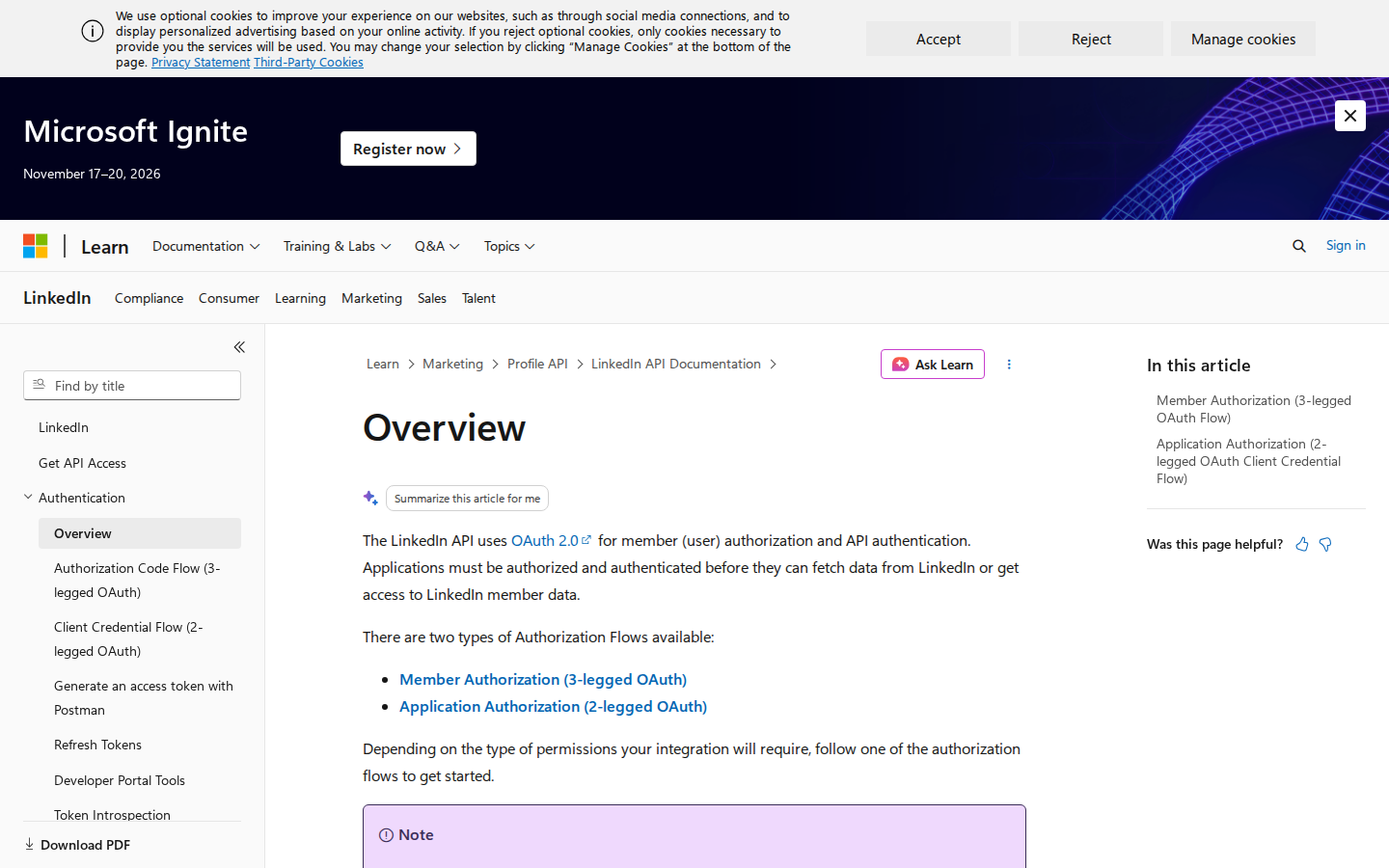
- Implement OAuth 2.0 authorization-code flow, request
offline_accessso you get a refresh token, and persist it somewhere your cron job can reach. - Stand up a tiny proxy (Node or Python) alongside your OpenClaw Gateway that stores the token, refreshes it before expiry, and exposes clean HTTP endpoints.
- Write an OpenClaw skill file that describes those endpoints to the agent.
- Run
openclawin your normal workflow and let the agent call the proxy.
OpenClaw skill file (~/.openclaw/skills/linkedin.md):
# LinkedIn

You can access LinkedIn company-page data via the proxy at http://localhost:3001.

Available endpoints:
- GET /linkedin/page-analytics?days=7  → follower count, unique visitors, post impressions, engagement rate
- GET /linkedin/recent-posts?limit=10 → last N posts with per-update engagement
- POST /linkedin/create-post          → body: { text: string, visibility: "PUBLIC" }

When asked about LinkedIn performance, call page-analytics first, then summarise
the numbers in plain language. For publishing, ALWAYS render the post text for
human approval before calling create-post.
The quality of that skill file is what separates a demo from something your team trusts. Two rules earn their keep in practice: analytics before narration (make the agent fetch numbers rather than recall them), and never let the publish endpoint run unapproved.
Path B: The Product You Actually Need (And The One You Can't Get)
LinkedIn bundles permissions into Products, applied for separately in the developer portal. This table is the whole reason most projects stall late instead of early:
| Product | What it unlocks | Approval reality |
|---|---|---|
Sign In with LinkedIn using OpenID Connect |
Auth only — a sub identifier, name, picture, email |
Granted by default |
Share on LinkedIn |
Post as a member or a Page you administer | Application required, usually granted |
Advertising API / Marketing Developer Platform |
Campaign Manager data, page analytics, ad reporting | Formal review, business justification, 1–4 weeks, frequently rejected |
LinkedIn Pages API |
Read and manage company page content at scale | Separate application |
| Reading a member's feed, connections, or messages | — | Does not exist. Anywhere. At any tier. |
If your workflow depends on "search for prospects and message them," stop here. There is no supported API path, and the last row of that table is not a paywall — it's a wall.
Five Workflows You Can Run Today (With Prompts)
1. Monday company-page digest — no more logging into the admin UI
"Pull our LinkedIn page analytics for the last 7 days and compare to the previous 7. Report follower change, impressions, and the top three posts by engagement rate. Flag any post whose engagement rate dropped more than 30% week over week."
2. Draft-and-approve publishing (the only safe publishing pattern)
"Draft a LinkedIn post announcing our new integration. Keep it under 1,200 characters, no hashtag spam, one clear CTA. Render it as a draft in Slack for my approval — do not publish."
Then, after you approve: "Publish the approved draft to the company page." Two turns, one guardrail.
3. Approval-pipeline tracker (kills the "why is this 403-ing?" mystery)
"Summarise which LinkedIn API products we've applied for, which returned a decision, which scopes were granted versus requested, and when the access token needs re-consent. Present it as a table."
4. Weekly ad-spend rollup (Marketing Developer Platform only)
"For the last 14 days, pull cost-per-click and cost-per-lead by campaign. Compare against the prior period and flag any campaign where CPL rose more than 20%."
5. Capability triage before you spec anything
"Given our current LinkedIn product approvals and granted scopes, list which of these five proposed automations are actually buildable and which require access we don't have."
That last one is worth more than it looks. It converts a two-week failed sprint into a five-minute answer.
Six LinkedIn-Specific Pitfalls That Break Automations
1. There is no general-purpose LinkedIn API
The consumer API you'd need to read your own feed or search people was shut down in 2015 and has never returned. The Marketing Developer Platform is organisation-scoped — company page management, ads, and (after separate approval) page posting. Every guide promising "connect your LinkedIn account to your AI agent" is either describing this narrow surface or describing scraping.
2. Scraping doesn't just fail — it costs you the account
Browser automation that logs in as a human is the standard workaround and the standard cause of restricted accounts. LinkedIn actively detects automation patterns, and the penalty is account restriction, not a rate-limit error. If your plan depends on it, price in the risk of losing the account, because it is not a matter of if.
3. Access tokens expire in 60 days — and they fail silently
Without offline_access and a working refresh job, every authenticated call starts returning auth errors on day 61. In an agent workflow this surfaces as the assistant confidently reporting stale or empty data rather than an obvious crash. Schedule the refresh; alert on it.
4. Rate limits are per-application and per-member
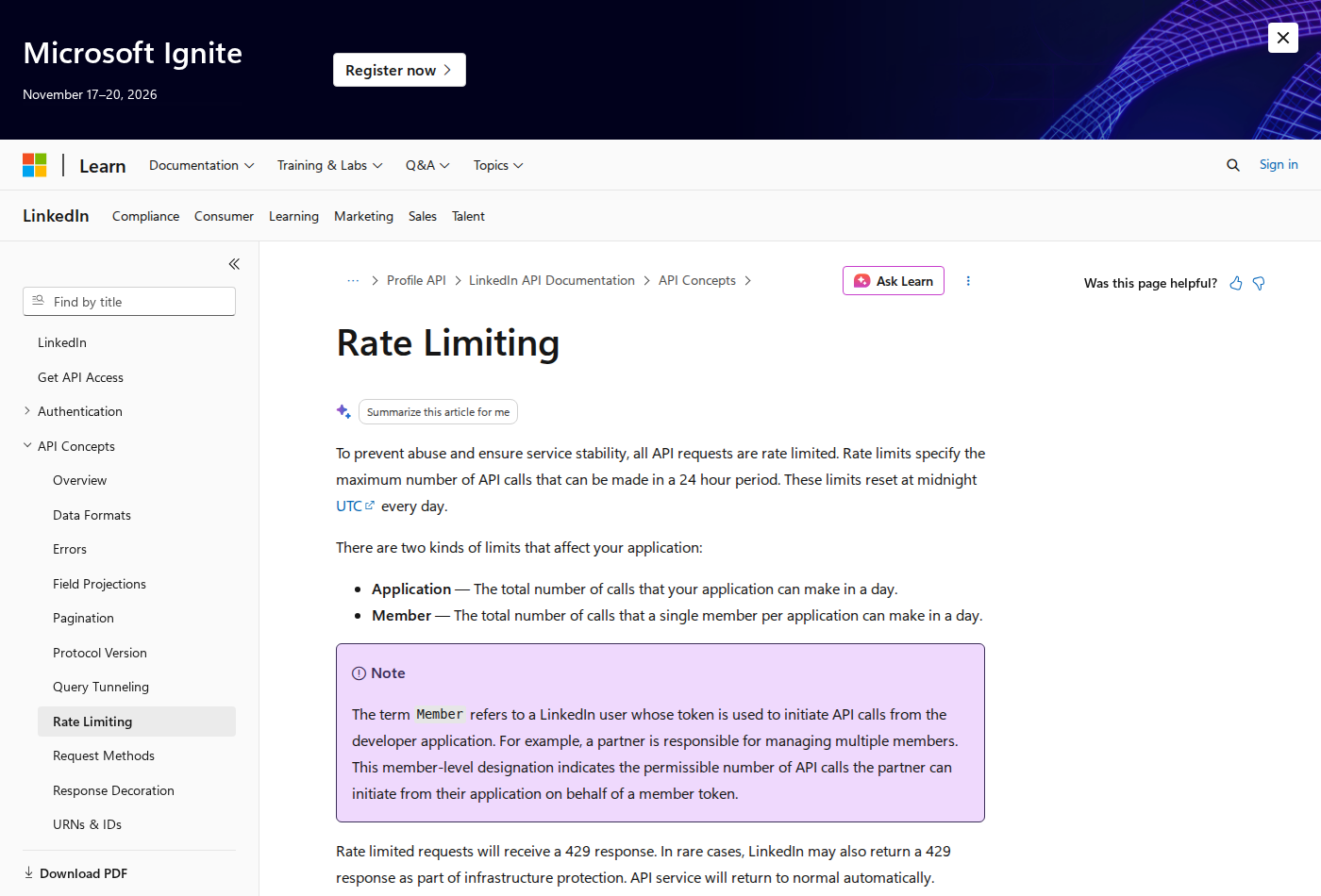
LinkedIn throttles your app's total call volume and the individual member's activity separately. A batch job comfortably under the app limit can still trip the per-member limit on a shared service account, and the response is a generic 429 that tells you nothing about which limit you hit. Polling loops — which you'll need, because of pitfall 5 — are what burn through this budget.
5. There are essentially no webhooks
For most events — new posts, engagement changes, follower changes — there is no push notification. Your integration polls, which consumes rate limit and introduces latency. A follower spike will not surface in Slack until your next scheduled poll.
6. The version header is mandatory and retires on a schedule
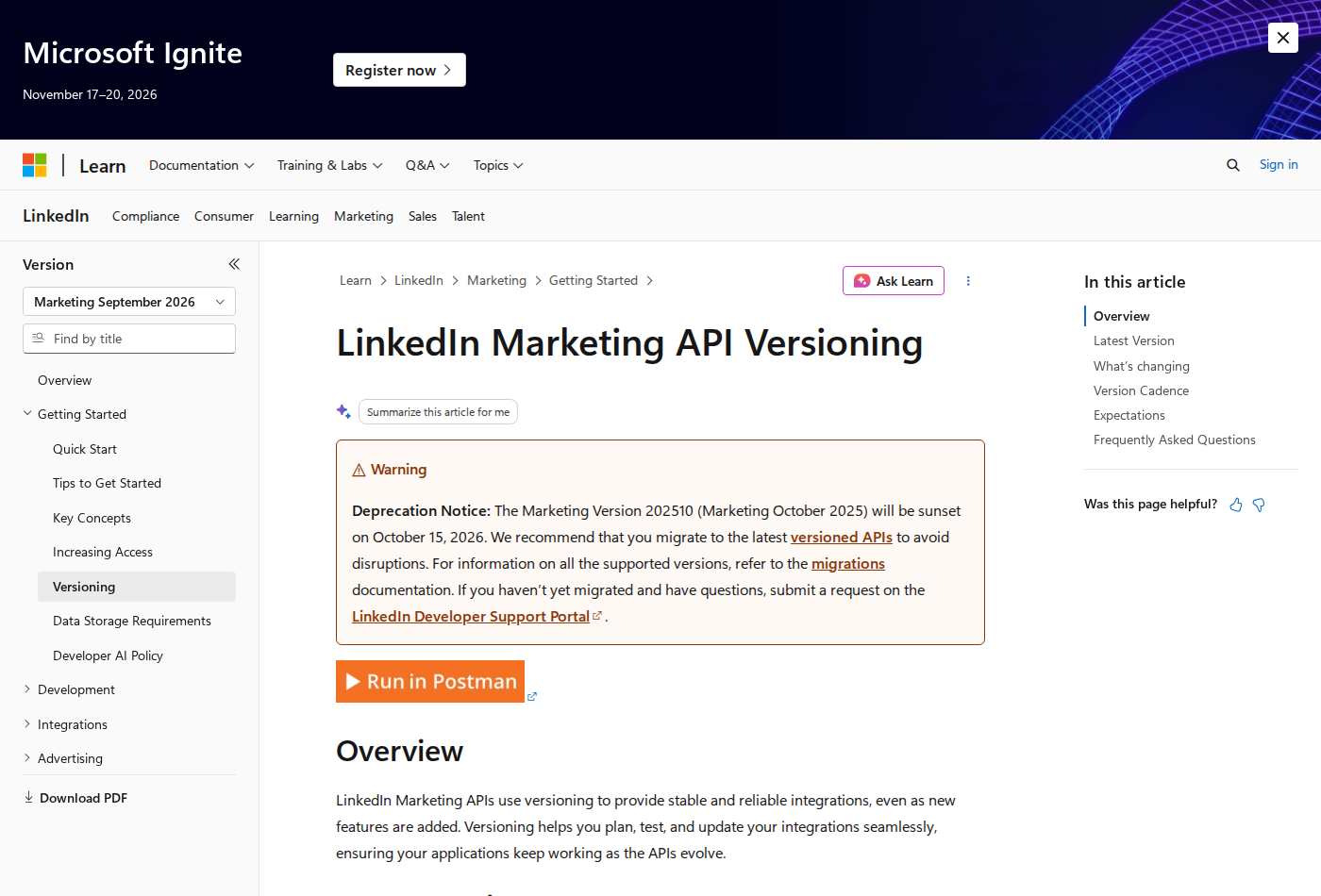
Every versioned endpoint requires a LinkedIn-Version: YYYYMM header. Omitting it doesn't fall back to a default — the call fails. Versions are retired roughly a year after release, so this is a recurring calendar item, not a set-once config.
7. r_liteprofile is retired, and member IDs are per-app
Pre-2023 guides use r_liteprofile and r_emailaddress. Both were replaced by OpenID Connect, which returns an opaque sub — and that sub is scoped to your client, so the same person has a different value for a different app. Store it as an internal key; you cannot match it against any external dataset.
Decision Guide: Should You Build This?
| Your goal | Verdict |
|---|---|
| Company page analytics digest for your own team | ✅ Build it — supported and useful |
| Scheduled page posting with human approval | ✅ Build it — use Share on LinkedIn |
| Ad performance reporting | ⚠️ Only if you get Marketing Developer Platform approval |
| Prospect search, enrichment, and outbound DMs | ❌ Not possible via official API — scope it out or use a licensed data provider |
| "Let our AI read any LinkedIn profile on demand" | ❌ Not achievable. Reframe the goal. |
Related on the Cody blog: Connect Twitter / X to OpenClaw for a platform that actually sells automation access, LinkedIn AI Automation for the workflow-first angle, and Connect HubSpot to OpenClaw when the LinkedIn data needs to land in a CRM.
What “Connect LinkedIn to OpenClaw” Actually Means
In practice, connecting LinkedIn to OpenClaw usually involves four layers:
- Authentication so OpenClaw can securely access LinkedIn
- Tooling or proxy endpoints that expose the right LinkedIn actions and data
- Skills/instructions that tell OpenClaw how to reason over LinkedIn context
- Model selection so the assistant uses the right LLM for the job
That last piece matters more than most people expect.
Which Models Can You Use?
OpenClaw is model-flexible, so a LinkedIn integration does not need to be tied to a single provider. Depending on your setup, teams commonly want to use:
- OpenAI models for broad reasoning, structured extraction, and tool use
- Anthropic models for writing, analysis, and long-context work
- Google models for multimodal and large-context workflows
- Other model backends if your OpenClaw environment exposes them
Model names and availability change frequently, so check your OpenClaw model catalogue rather than copying a version from a guide. The practical point is that you can connect LinkedIn once, then choose a supported model for each workflow.
For example:
- Use Claude for nuanced summarisation or drafting
- Use OpenAI for structured extraction, tool-heavy workflows, or general-purpose copiloting
- Use Gemini when multimodal or very large context windows matter
A Good Integration Pattern for LinkedIn
A strong LinkedIn + OpenClaw setup usually looks like this:
- OpenClaw receives a request in chat or from an automation
- It calls the right LinkedIn endpoint or proxy
- The selected model reasons over the returned context
- OpenClaw returns an answer, draft, classification, or action
- High-risk actions stay behind approvals or structured guardrails
That is what makes the setup operational rather than just experimental.
Step-by-Step: Connect LinkedIn to OpenClaw
Step 1: Create a LinkedIn Developer Account and App
Start at developer.linkedin.com. You'll need a LinkedIn account and, importantly, a LinkedIn Company Page — new apps must be associated with one. Create a new app, fill in the required details, and you'll receive a Client ID and Client Secret.
At this point, your app has essentially no useful permissions. LinkedIn's default access is limited to "Sign In with LinkedIn using OpenID Connect" — which lets users authenticate with their LinkedIn identity but gives you almost nothing beyond their name and email address. To do anything meaningful, you need to apply for additional products.
Step 2: Apply for the API Products You Actually Need
LinkedIn structures its API access around "Products" — bundles of permissions you apply for separately. The ones relevant to an OpenClaw integration are:
- Share on LinkedIn: Lets your app post content on behalf of a user or organization page. Available to most developers, though it still requires an application.
- Marketing Developer Platform: Required for advertising data, Campaign Manager access, and page analytics. This is a formal application process with a business justification review. Approval typically takes 1–4 weeks and is not guaranteed.
- LinkedIn Pages API: For reading and managing company page content. Also requires a separate application.
To apply, go to your app's "Products" tab in the developer portal and request access to what you need. For the Marketing Developer Platform in particular, you'll be asked to describe your use case, your company, and how you'll use the data. LinkedIn evaluates these and can reject applications that don't fit their partner criteria.
If you need to read a user's connections, feed, or detailed activity — that's not available at all through the public API, regardless of what products you apply for.
Step 3: Implement the OAuth 2.0 Authorization Flow
LinkedIn uses standard OAuth 2.0 with an authorization code flow. Your server needs to:
- Redirect users to LinkedIn's auth endpoint with your Client ID and the scopes you've been granted
- Handle the callback and exchange the authorization code for an access token
- Store the access token securely — and the refresh token if you requested the
offline_accessscope
LinkedIn access tokens expire after 60 days. Refresh tokens (if granted) last up to a year. You'll need a background process on your EC2 instance that handles token refresh before expiry, or any LinkedIn calls will silently fail when the token expires.
For an OpenClaw integration, you'll likely want to store tokens per-user or for a shared service account, depending on what data you're querying. A shared service account (a LinkedIn member whose credentials are used by the integration) is simpler but has its own risks — if that account gets flagged or suspended, the integration breaks.
Step 4: Build a LinkedIn API Proxy Service
OpenClaw's skill system works by giving Claude instructions and, optionally, HTTP endpoints to call. OpenClaw doesn't natively manage OAuth tokens for third-party services, so you need a small intermediary service — a proxy — that:
- Stores the LinkedIn OAuth tokens your integration obtained
- Exposes simple HTTP endpoints (e.g.,
GET /linkedin/page-analytics,POST /linkedin/post) that OpenClaw can call - Translates those calls into properly authenticated LinkedIn API requests
This is typically a small Node.js or Python service running alongside OpenClaw on your EC2 instance (or on a separate server). You'll need to handle token refresh within this service, manage errors, and keep it running and updated as LinkedIn's API evolves.
A minimal implementation might take a day or two for a competent developer. A robust one with proper error handling, token management, and rate limit awareness is a week or more of work.
Step 5: Write the OpenClaw Skill File
Once your proxy is running, create a skill file at ~/.openclaw/skills/linkedin.md on your OpenClaw server. This is a markdown document that tells Claude what LinkedIn data is available and how to query it via your proxy.
For example:
# LinkedIn

You have access to LinkedIn data via the proxy at http://localhost:3001.

Available endpoints:
- GET /linkedin/page-analytics?days=7 — returns page follower count, post impressions, engagement rate
- GET /linkedin/recent-posts?limit=10 — returns the last N posts with engagement metrics
- POST /linkedin/create-post — body: { text: string } — posts to the company page

When asked about LinkedIn performance, call the analytics endpoint first, then summarise the results naturally.
Claude will use these instructions when it determines a LinkedIn question is being asked. The quality of your skill file significantly affects how well the integration works in practice.
Step 6: Test Thoroughly in a Staging Environment
Before relying on this integration for anything important, test it end-to-end:
- Verify token refresh works correctly (you can simulate expiry by manually invalidating a token)
- Test rate limit handling — what happens when you hit LinkedIn's limits?
- Check error messages surface meaningfully in Slack rather than silently failing
- Test with the actual scopes you've been granted, not just in dev mode
LinkedIn's sandbox environment is limited, so most testing has to happen against the real API with real data. Be careful not to accidentally post to your company page during testing.
Model-Specific Workflow Ideas
LinkedIn + OpenAI
Use this when you want a strong general-purpose setup for extraction, classification, action planning, and tool-driven workflows around LinkedIn.
LinkedIn + Claude
Use this when you want better writing quality, clearer summaries, stronger nuance, and reliable long-context reasoning over LinkedIn data.
LinkedIn + Gemini
Use this when the workflow benefits from large context windows, multimodal inputs, or Google-native ecosystem alignment.
Common Mistakes
Most teams do not fail because the model is bad. They fail because:
- the LinkedIn connection is too thin
- the model lacks the right live context
- prompts are vague
- no structured outputs are enforced
- permissions and approvals are skipped
- one model is forced to do every job, even when another would be a better fit
The best setup is usually one integration layer, multiple model options, and clear guardrails.
Challenges and Caveats
LinkedIn Has One of the Most Closed APIs in the Industry
LinkedIn shut down its public API in 2015 and has progressively restricted access since then. What's available to standard developers today is a fraction of what it once was. Most of the data that would actually be useful — reading a user's feed, querying connections, accessing detailed profile data for people outside your network — is simply not available via the API, regardless of what products you apply for. If you're imagining an integration that lets your Slack bot research any LinkedIn profile on demand, that's not achievable through the official API.
API Access is Not Guaranteed
Applying for products like the Marketing Developer Platform doesn't mean you'll get access. LinkedIn reviews applications based on business justification and intended use. Agencies, small startups, and individual developers often find their applications rejected or left in review indefinitely. Even if approved, the scopes granted may be narrower than what you requested. Build your integration plan around what you know you have access to, not what you hope to get.
Rate Limits Are Strict and Per-Member
LinkedIn's rate limits are applied per-member (i.e., per OAuth token) per day. For a Marketing API application, you might be limited to a few hundred calls per day per token. If your integration is querying data on behalf of multiple users, or polling frequently for updates, you'll hit these limits quickly. There's no straightforward way to increase them without moving to a higher-tier partner arrangement, which requires further application and approval.
No Webhooks for Most Events
LinkedIn's webhook support is extremely limited and only available to certain Marketing API partners. For most events — new posts, engagement changes, follower changes — there is no push notification mechanism. This means your integration has to poll, which consumes your rate limit budget and introduces latency. A follower spike or viral post might not surface in Slack until your next scheduled poll.
The Terms of Service Are Unambiguous About Scraping
LinkedIn's User Agreement explicitly prohibits scraping, automated data collection, or using unofficial means to access data on the platform. If you're tempted to skip the API complexity by using a browser automation tool or an unofficial scraping library, be aware that LinkedIn actively detects and blocks this — and accounts found doing it can be suspended without warning. Any integration with OpenClaw must go through the official API.
This Is a Lot of Infrastructure to Maintain
What you're building here isn't a simple API key configuration — it's a custom service (the proxy), a background token refresh job, a skill file, and all the error handling and monitoring that goes with it. Every LinkedIn API update that changes endpoints or deprecates scopes requires you to update your proxy. Every OpenClaw update might affect how skills are loaded. You're taking on meaningful ongoing engineering work for what might seem like a simple integration.
Want LinkedIn Connected to OpenClaw Without Building the Whole Stack Yourself?
Everything described above — the API applications, the OAuth flow, the proxy service, the token refresh, the skill files — is infrastructure you'd have to build and maintain yourself. Cody comes with LinkedIn integration built in. Connect your Slack workspace, and your team can query LinkedIn page analytics, draft posts, and pull prospect research directly from Slack — no developer account, no API applications, no proxy services, no maintenance.
Related OpenClaw Guides
- How to Connect Twitter / X to OpenClaw
- How to Connect HubSpot to OpenClaw
- How to Connect Salesforce to OpenClaw
Looking for a more workflow-first angle? See: LinkedIn AI Automation and LinkedIn AI Assistant.
More LinkedIn Resources
- Cody AI Assistant for LinkedIn — Cody's dedicated LinkedIn integration features and benefits