If you're searching for "Amplitude MCP", you're asking one of two things: does Amplitude have an MCP server? or how do I connect Amplitude to an AI assistant via the Model Context Protocol?
✅ Amplitude has an official MCP server. Details in the setup section below.
What Is MCP?
Model Context Protocol (MCP) is an open standard developed by Anthropic that lets AI assistants — like Claude — connect to external tools, APIs, and data sources in a standardised way.
Before MCP, every AI integration required bespoke tooling: custom prompts, custom API wrappers, and custom glue code to pass context back and forth. MCP replaces that with a common interface: the AI asks the MCP server for data or actions, the server returns structured results, and the AI uses them to answer your question or complete a task.
In plain terms: MCP is how you give an AI assistant live access to Amplitude — not just knowledge about it, but real, up-to-date data from your account.
What a Amplitude MCP Integration Does
Once Amplitude is connected via MCP, your AI assistant can:
- Read live data — pull records, metrics, activity, and status directly from Amplitude
- Take actions — create, update, or log records based on your instructions
- Cross-reference context — combine Amplitude data with other connected tools mid-conversation
The key difference from a standard chatbot: the assistant is not working from training data or memory. It is reading your actual Amplitude instance, in real time.
Practical Amplitude MCP Use Cases
Natural-language metric queries
"What was our activation rate last week vs the week before?" The assistant queries Amplitude via MCP and returns the numbers with a plain-English interpretation.
Anomaly explanation
When a metric spikes or drops, the assistant can pull recent data from Amplitude and generate a hypothesis list: campaign changes, product releases, seasonality, tracking issues.
On-demand segment analysis
Ask the assistant to compare behaviour across user segments in Amplitude and return a concise breakdown — without writing a query.
Amplitude MCP: Real Configuration & Setup (as of 2026)
Amplitude ships an official, first-party MCP server — this is not a community wrapper. It runs as a hosted remote server, authenticates over OAuth, and exposes Amplitude's analytics, taxonomy, and content as callable tools. Setup is roughly two minutes per AI client.
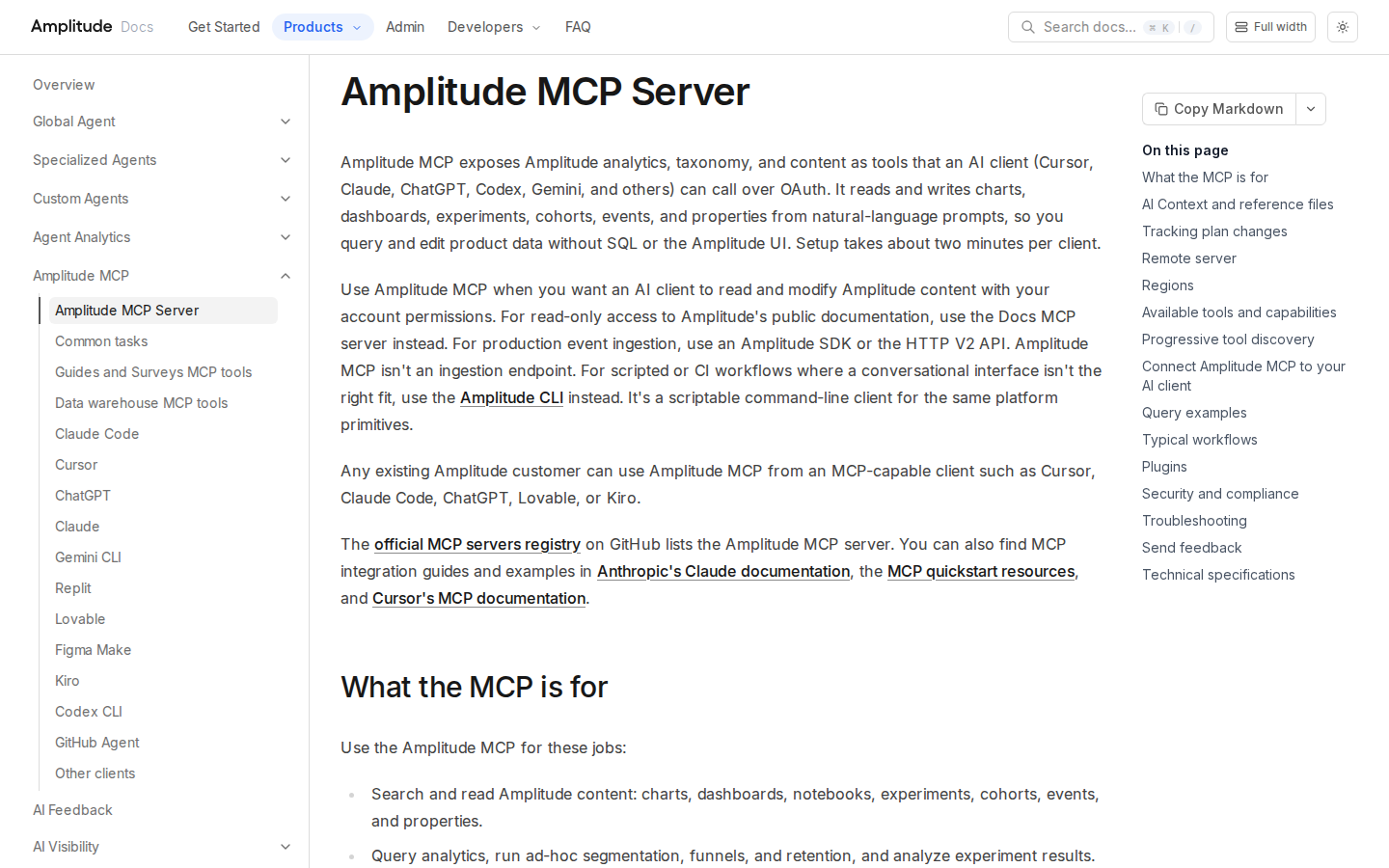
Amplitude's official MCP docs — hosted remote server, OAuth, read and write.
The two regional endpoints
Amplitude runs regional MCP servers. Picking the wrong one is the single most common setup mistake:
| Region | MCP Server URL |
|---|---|
| United States (default) | https://mcp.amplitude.com/mcp |
| EU data residency | https://mcp.eu.amplitude.com/mcp |
"If your data is in the EU and you connect to the US endpoint, tools authenticate fine and then return nothing useful." Use the US endpoint unless your Amplitude data actually resides in the EU region.
Wiring it into an MCP client (generic HTTP + OAuth config)
{
  "mcpServers": {
    "amplitude": {
      "url": "https://mcp.amplitude.com/mcp"
    }
  }
}
Because the transport is standard HTTP with OAuth, self-hosted clients like OpenClaw can point straight at the endpoint with no vendor certification and no one-click-install requirement. The clients Amplitude documents one-by-one — Claude Code, Cursor, ChatGPT (Developer Mode), Claude.ai custom connector, Gemini CLI, Replit, Lovable, Figma Make, Kiro, Codex CLI, and "any MCP-compatible client that supports HTTP and OAuth" — all use the same endpoint.
Progressive tool discovery — the token trick most guides miss
The full Amplitude tool catalog is large. If you connect manually and want to cut token spend, append a query parameter:
- US:
https://mcp.amplitude.com/mcp?discovery=progressive - EU:
https://mcp.eu.amplitude.com/mcp?discovery=progressive
In progressive mode the initial tool list is intentionally small — the client discovers tools on demand. The documented flow is:
get_amplitude_context— confirm organization and project accesslist_tool_categories— see the available product surfacesget_category_tools— discover tools in a category (e.g.analytics)describe_tool— pull the latest schema for the tool you plan to call- Call the tool directly once the schema is confirmed
The key tools across the catalog
| Group | Tool | What it lets an assistant do |
|---|---|---|
| Discovery | search |
Find charts, dashboards, notebooks, experiments, events, properties, cohorts |
| Discovery | get_from_url |
Pull the full object definition from any Amplitude URL you paste |
| Discovery | get_amplitude_context |
Current user, org, accessible projects, and per-project settings |
| Charts | query_amplitude_data |
Ad-hoc segmentation, funnel, and retention queries (discover-then-execute) |
| Charts | get_amplitude_charts |
Retrieve chart definitions and data by ID |
| Dashboards | use_amp_dashboards |
Get, create, edit dashboards, add/remove/reorder charts |
| Notebooks | use_amp_notebooks |
Get, create, edit notebooks with charts and rich text |
| Cohorts | use_amplitude_cohorts |
Retrieve, create, sync cohorts; check membership; export CSVs |
| Users | get_amp_user_data |
User profiles, properties, activity timelines |
| Experiments | get_experiments / query_experiment |
Experiment state, variant config, significance |
| Flags | get_flags / create_flags / update_flag |
Feature flag definitions and batch creation |
| Taxonomy | get_amp_taxonomy / manage_amp_events / manage_amp_properties |
Read and edit the tracking plan |
| Taxonomy | manage_amp_taxonomy |
Branch workflow: create, merge, review, refresh plan branches |
| Replay | get_session_replays / list_session_replays |
Search session replays from the last 30 days |
| Feedback | use_amplitude_ai_feedback |
Themes and comments from connected feedback sources |
| Pipelines | get_data_ingestion_sources / get_data_warehouse_jobs |
Import sources, export destinations, job history |
The ChatGPT connector is a curated subset of roughly 25 tools due to a token cap on connected schemas — and it excludes session replay and progressive-discovery tools. If you specifically want replay or progressive discovery, connect with a full-catalog client (Cursor, Claude, a self-hosted MCP client) rather than ChatGPT.
What You Can Actually Do with Amplitude MCP
The generic "query your analytics" promise means something specific here. These prompts are taken from Amplitude's own documented query examples — the workflows that make the server worth wiring up:
Ask the question instead of rebuilding the chart
"What were the daily active users over the last 7 days?" or "Show signup conversion rates by traffic source this month." query_amplitude_data runs segmentation live against your real project. This is the whole point: the readout you'd spend ten clicks assembling in the UI comes back as an answer.
Diagnose a spike by pasting the chart URL
"Why did this metric spike last week? [paste chart URL]" — get_from_url fetches the exact object you're looking at, so the assistant reasons about your chart rather than a generic definition. This one tool removes the "which chart do you mean?" round trip entirely.
Build and restructure dashboards conversationally
"Build an executive dashboard for our product launch" or "Move the funnel chart to the top of the onboarding dashboard and add a section header above it." use_amp_dashboards handles layout edits, and it saves temporary chart edits into permanent charts automatically with optimistic concurrency protection.
Audit the tracking plan without opening the UI
"Which events changed on this branch compared to main?" get_amp_taxonomy reads the tracking plan, the branch diff, and the activity history of who changed what. For a data team fighting taxonomy drift, that's a governance tool, not a toy.
Triage experiments and feature flags
"Check on all running experiments and flag anything stale or missing metrics," or "Should we ship the new onboarding experiment? Analyze the results." get_experiments + query_experiment return state and statistical significance; create_flags / update_flag handle the rollout side.
Audit UX friction with session replay
"Show me session replays where users rage-clicked on the checkout page" or "A user reported a bug on the billing page. Find their session and walk me through what happened." get_session_replays searches the last 30 days filtered by user property or event. Remember this tool is absent from the ChatGPT subset.
Common Pitfalls Specific to Amplitude MCP
The tracking plan is shared state — a plan-wide delete removes a property everywhere
manage_amp_properties supports two delete scopes: detach a property from one event, or delete it plan-wide across every event. A plan-wide delete of a planned property removes it entirely. If your prompt doesn't specify scope, you may get the catastrophic one. Amplitude's own docs tell you to ask for single-event scope when you only want to detach.
Deletes are two-step — but "immediate" on main is genuinely immediate
Every delete is a two-step action: the first call returns a confirmation listing the affected items, project, and branch, and the client must call again with confirmed set to true. That safety is real, but note the asymmetry: deletes on main take effect immediately; deletes on any other tracking-plan branch don't affect ingestion until you merge. If you're mid-migration, do your destructive work on a branch.
MCP is not an ingestion endpoint
This is the #1 misconception. Amplitude MCP does not send or stream event data. The manage_amp_events tool registers event definitions in the tracking plan — it does not emit events. Production event data goes through an Amplitude SDK or the HTTP V2 API. If you're building an agent that needs to write events, the MCP is the wrong interface.
OAuth means the interactive path — verify headless behavior before relying on it
The server authenticates over OAuth, which is designed around an interactive consent flow. Amplitude documents per-client setup (Claude Code, Codex CLI, Gemini CLI) that each handle OAuth differently. Before you wire this into a scheduled/headless agent, confirm your specific client can persist and refresh the OAuth token unattended — otherwise your cron job authenticates once and fails silently the next morning.
Regional mismatch fails quietly
Pointing an EU-residency account at mcp.amplitude.com (or vice versa) does not throw an obvious auth error. Tools "work" and return empty or wrong results. Amplitude's docs say it plainly: "Use the Standard Server URL unless your Amplitude data resides in the EU region." Check your project's data residency before you debug anything else.
Restoring on a branch is staged, not instant
Restoring an event or property on main resumes ingestion immediately. On any other branch, Amplitude stages the restore until you merge. To find restorable items, call get_amp_taxonomy with includeDeleted set. And note: you can't delete or restore Amplitude-owned user properties.
Don't confuse the three Amplitude MCP-ish servers
There is the Amplitude MCP server (your product data), the read-only unauthenticated Docs MCP server (public documentation), and the Amplitude CLI (scriptable command-line for the same platform primitives). They solve different jobs. Reaching for the product MCP to answer a "how does Amplitude work?" question is the wrong tool — that's the Docs MCP.
Amplitude MCP vs. the plain API
For a conversational workflow, the MCP wins on convenience. For scripted pipelines and CI, Amplitude's own guidance points elsewhere: use the REST APIs for automation and the CLI for scripted workflows. Use MCP when a human is in the loop and the question is exploratory; use the API when the job must run unattended on a schedule. See our related walkthroughs for Mixpanel MCP and Google Analytics MCP if you're comparing product-analytics integration paths.
How to Connect Amplitude via MCP
There are two main paths:
Option A: Use Amplitude's official MCP server
Amplitude maintains an official Amplitude MCP server. This is the recommended starting point — it's built and maintained by the Amplitude team, so it stays up to date with API changes.
What the server exposes:
- charts
- dashboards
- experiments
- feature flags
- metrics
- event data
What you'll need:
- An MCP-compatible client (Claude Desktop, OpenClaw, or another host)
- Amplitude credentials configured per the server's setup guide
This path gives you the most control but requires you to handle client configuration and credential management yourself.
Option B: Use Cody (OpenClaw-based, managed)
Cody is built on OpenClaw and supports MCP-compatible integrations out of the box. You connect Amplitude once from the Cody dashboard — no server to run, no code to write — and Cody handles authentication, context passing, and write-back actions with appropriate guardrails.
Cody works where your team already operates: Slack, Telegram, or the web chat. The Amplitude connection is available to your entire team without each person setting up their own MCP client.
Want Amplitude Connected to AI Without Running Your Own MCP Server?
Cody gives your team an Amplitude AI assistant in Slack, so people can review funnels, retention, activation, feature adoption, experiment movement, and product KPI changes without living inside dashboards and charts all day.
MCP vs Other AI Integration Patterns
| Approach | What it is | Tradeoff |
|---|---|---|
| MCP | Standardised protocol for live tool access | Requires an MCP server; most powerful when set up correctly |
| RAG (retrieval) | Pre-index Amplitude content and retrieve it | Good for static docs; not suitable for live/transactional data |
| Manual copy-paste | Paste Amplitude output into ChatGPT/Claude | Fast to start; breaks for anything recurring or at scale |
| Custom API wrappers | Bespoke integration code per tool | Full control; high maintenance overhead |
MCP wins when you need live data from Amplitude and want to avoid rebuilding integrations as APIs change.
Common Mistakes
- Using training data when live data is needed — if the AI doesn't have an MCP connection, it will answer from memory, which is often outdated or wrong for account-specific questions
- No write-back guardrails — MCP can write to Amplitude, so it's worth adding an approval step for any action that modifies records
- Too many tools exposed at once — give the AI access to the Amplitude actions it actually needs; a scoped connection is easier to reason about and audit
- Skipping structured outputs — ask the AI to return structured JSON or clear fields when writing back to Amplitude; free-form output is harder to validate
Related MCP Guides
Want the full workflow picture? See: Amplitude AI Automation and How to Connect Amplitude to OpenClaw.