If you're searching for "Confluence MCP", you're asking one of two things: does Confluence have an MCP server? or how do I connect Confluence to an AI assistant via the Model Context Protocol?
✅ Confluence has an official MCP server. Details in the setup section below.
What Is MCP?
Model Context Protocol (MCP) is an open standard developed by Anthropic that lets AI assistants — like Claude — connect to external tools, APIs, and data sources in a standardised way.
Before MCP, every AI integration required bespoke tooling: custom prompts, custom API wrappers, and custom glue code to pass context back and forth. MCP replaces that with a common interface: the AI asks the MCP server for data or actions, the server returns structured results, and the AI uses them to answer your question or complete a task.
In plain terms: MCP is how you give an AI assistant live access to Confluence — not just knowledge about it, but real, up-to-date data from your account.
What a Confluence MCP Integration Does
Once Confluence is connected via MCP, your AI assistant can:
- Read live data — pull records, metrics, activity, and status directly from Confluence
- Take actions — create, update, or log records based on your instructions
- Cross-reference context — combine Confluence data with other connected tools mid-conversation
The key difference from a standard chatbot: the assistant is not working from training data or memory. It is reading your actual Confluence instance, in real time.
Practical Confluence MCP Use Cases
Query issues and PRs without leaving chat
Ask the assistant to list open issues by label, summarise a PR, or find tickets assigned to a specific person — it queries Confluence directly and returns the result.
Write tickets from conversation
Turn a Slack message or call note into a properly structured ticket in Confluence: title, description, acceptance criteria, and priority — without touching the UI.
On-call context lookup
During an incident, have the assistant pull recent deployments, open issues, and related PRs from Confluence to help narrow down root cause faster.
Release note generation
At the end of a sprint, ask the assistant to fetch merged PRs from Confluence and produce user-facing release notes grouped by theme.
Confluence MCP: The Real Setup, Rovo Credits, and the v1-to-v2 Split
Confluence does not ship its own separate MCP server. It is one product on Atlassian's official, Cloud-hosted remote MCP server — the same server that fronts Jira, Jira Service Management, Bitbucket, Compass, Loom, Goals, Projects, and Teams. Atlassian builds and hosts it, so there is nothing for you to run: your client connects to https://mcp.atlassian.com/v2/mcp over HTTPS and reads or writes Confluence pages with your existing permissions.
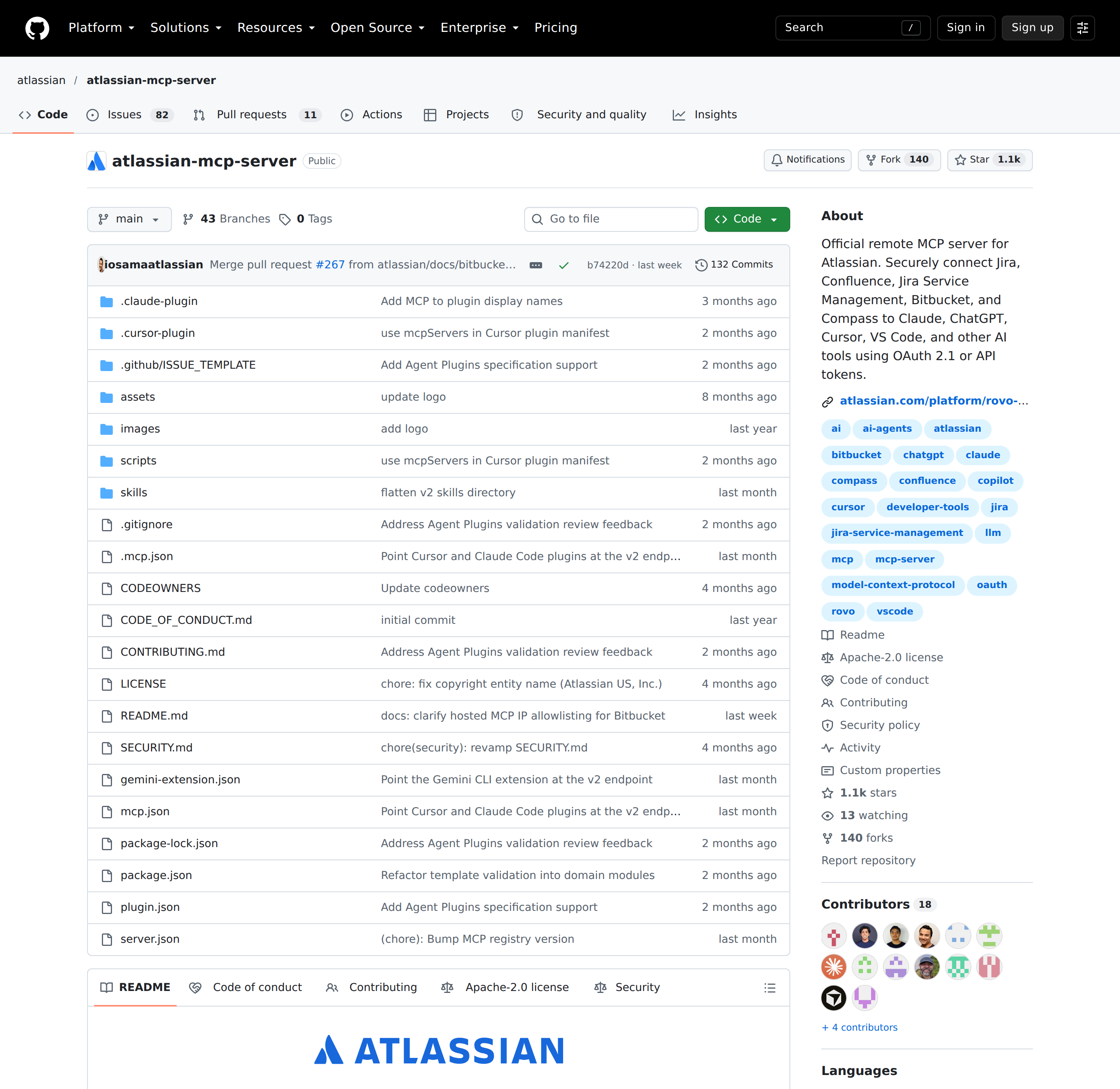
That "one server, many products" design is the first thing most Confluence MCP guides get wrong. If you search for a "Confluence MCP server," you will find wrappers, forks, and blog posts from before Atlassian shipped the official one. The official server is the starting point, and it happens to give you Jira and Confluence context in the same conversation.
The endpoint that matters, and the one that is dying
Atlassian has shipped three endpoints over the life of this server, and mixing them up is the usual cause of "it authenticated but nothing works":
| Endpoint | Status | Notes |
|---|---|---|
https://mcp.atlassian.com/v2/mcp |
Recommended | v2 — more tools and more products. Use this for every new setup. |
https://mcp.atlassian.com/v1/mcp |
Legacy, still served | Existing v1 connections automatically begin exposing and using v2 tools. |
https://mcp.atlassian.com/v1/mcp/authv2 |
Legacy, still served | The alternative v1 auth path you will see in older configs. |
https://mcp.atlassian.com/v1/sse |
Dead | The legacy Server-Sent Events endpoint stopped being supported after 30 June 2026. |
If you inherited a config pointing at /v1/sse, that is why it stopped responding — the SSE transport was retired. Repoint it at /v2/mcp.
The migration trap: clients that cannot complete authentication after the move to v2 tools usually just need to clear their cached client IDs and .well-known credentials, then re-authenticate. That is a client-side cache problem, not a permissions problem, and it is the documented fix.
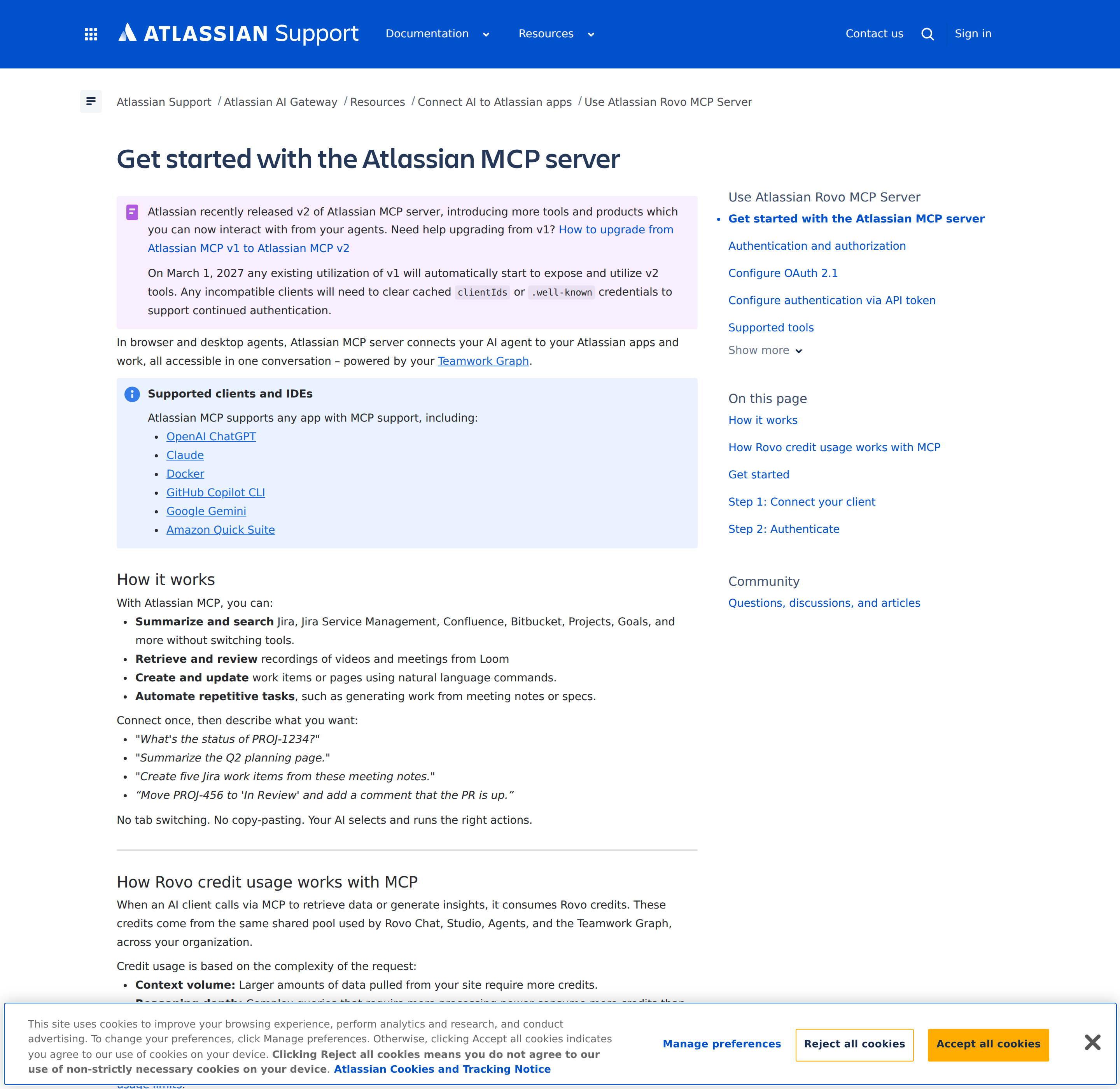
Connect the client (pick yours)
Most coding agents can now set this up themselves from a single prompt. The exact prompt Atlassian publishes is:
Set up Atlassian MCP for this agent using the official setup guide at https://support.atlassian.com/atlassian-rovo-mcp-server/docs/getting-started-with-the-atlassian-remote-mcp-server/ and the MCP server URL https://mcp.atlassian.com/v2/mcp. Then start the Atlassian MCP authentication flow so I can sign in.
If you would rather do it by hand, the commands converge on the same URL:
# Claude Code
claude mcp add --transport http atlassian https://mcp.atlassian.com/v2/mcp
# then run /mcp inside a session to authenticate

# Codex (CLI)
codex mcp add atlassian --url https://mcp.atlassian.com/v2/mcp
Claude Desktop installs the Atlassian plugin from Settings → Extensions → Browse extensions → Plugins. Codex Desktop installs "Atlassian Rovo" from Plugins or Connectors. VS Code / GitHub Copilot installs from the Extensions view with @mcp Atlassian. Cursor adds the Atlassian plugin from its marketplace. Windsurf adds a custom server under Cascade → MCP servers with "serverUrl": "https://mcp.atlassian.com/v2/mcp".
For any other MCP-compatible client — including local clients that bridge through the mcp-remote proxy — use the same URL: https://mcp.atlassian.com/v2/mcp.
Confluence tools live inside permission groups
Atlassian does not expose a flat list of Confluence tools. Tools are organized by product and intent, and each tool inherits the access of its parent permission group:
| Product | Permission groups |
|---|---|
| Confluence | read_confluence · write_confluence · search_confluence |
| Atlassian platform | read_teamwork_graph · write_teamwork_graph · search_atlassian |
| Jira | read_jira · write_jira · search_jira |
Organization admins grant or revoke access at the permission-group level. That is the lever to reach for when you want a team to read Confluence but never write to it: grant read_confluence and search_confluence, withhold write_confluence. Confluence supports both OAuth 2.1 and API-token authentication, so a headless job can authenticate too (see the next section).
The server discovers tools on demand
Atlassian's server does not dump every tool definition into your client's context at connect time. It exposes a small set of the most-used tools and lets the client discover the rest on demand; tools marked Primary are visible immediately.
Two consequences worth knowing:
- Your context stays free for the actual task instead of being filled with tool definitions.
- New tools appear without reconnecting — useful as Atlassian adds capability.
If you run an MCP gateway and need every tool up front rather than the discovery/execute methods, Atlassian provides an override that exposes all tools as a paginated flat list:
https://mcp.atlassian.com/v2/mcp?tools=all
Connecting without a browser (the headless path)
Interactive setup uses OAuth 2.1 — fine for a person at a keyboard, useless for a scheduled job. Atlassian supports two headless mechanisms instead:
| Mechanism | Header |
|---|---|
| Personal API token (Basic auth) | Authorization: Basic <base64(email:api_token)> |
| Service account API key (Bearer) | Authorization: Bearer <api_key> |
Three things gate this path, and all three trip people up:
- An organization admin must enable API token authentication for the MCP server, at Atlassian Administration → Rovo → Rovo MCP server → Authentication. If your admin has disabled it, token auth simply will not connect and you must use OAuth.
- The token must be scoped for the tools and data you need. A personal token with no Confluence scopes will authenticate and then return nothing useful.
- Jira Service Management tools only work over API token — they do not support OAuth at all.
For a read-only Confluence assistant in a cron job, the clean combination is an API token scoped to Confluence read plus the read/search permission groups. Neither layer can produce a write.
Rovo credits: the cost model nobody puts on the page
This is the most practical thing to know before you point an agent at a large Confluence site, and it is easy to miss.
Every MCP call that retrieves data or generates insight consumes Rovo credits, and those credits come from the same shared pool used by Rovo Chat, Studio, Agents, and the Teamwork Graph across your organization. Two factors drive the cost of a request:
- Context volume — larger amounts of data pulled from your site cost more credits.
- Reasoning depth — complex queries cost more than lightweight lookups.
The cap is applied per call, and the specific enriched Teamwork Graph calls are named explicitly — getTeamworkGraphContext, twg rovo search, searchAtlassian, and search. A "summarize every page in the ENG space" prompt is not a cheap lookup; it is a large context pull billed against the same budget your teammates use for Rovo Chat. Scope prompts to specific spaces and pages, and set a default result limit (see the tips below).
What Confluence MCP is genuinely good at
Atlassian documents the workflows, and they map cleanly onto real Confluence work:
- Summarize: "Summarize the Q2 planning page."
- Create: "Create a page titled 'Team Goals Q3'."
- Navigate: "What spaces do I have access to?"
- Search: "Find all open bugs in Project Alpha" (this pulls Jira context through the same server).
- Link content: "Link these three Jira work items to the 'Release Plan' page."
- Find documentation: "Fetch the Confluence documentation page linked to this Compass component."
- Move work forward: "Move PROJ-456 to 'In Review' and add a comment that the PR is up."
The reason this is more than a demo: access is granted only to data the user already has permission to view, and every action respects existing space-level roles. An engineer asking "what spaces do I have access to?" gets their own spaces, not yours.
Cut discovery calls with a defaults block
Every tool call that has to discover your Cloud ID, project key, or space ID is a token and a credit you did not need to spend. Atlassian's own tip is to pin those defaults in your agent's AGENTS.md:
## Atlassian MCP
When connected to atlassian-rovo-mcp:
- **MUST** use Confluence spaceId = "123456"
- **MUST** use cloudId = "https://yoursite.atlassian.net" (do NOT call getAccessibleAtlassianResources)
- **MUST** use `maxResults: 10` or `limit: 10` for ALL Jira JQL and Confluence CQL search operations.
The explicit "do NOT call getAccessibleAtlassianResources" instruction is the important one — that call is pure discovery overhead once you know your Cloud ID.
Admin controls you should know exist
- Admin controls: site and organization admins manage, review, and revoke the MCP app's access from Manage your organization's Marketplace and third-party apps.
- Domain controls: the Rovo MCP server settings page in Atlassian Administration controls which external AI tools and domains may connect. Atlassian-supported domains are allowed by default; you can add trusted domains or block supported ones. Domain controls apply to OAuth 2.1 connections.
- IP controls: if your organization uses IP allowlisting, MCP tool calls must originate from an allowed IP.
- Audit logging: every tool use is recorded in your organization's audit log — review it under Insights → Audit log, filtering for Rovo MCP User Actions or searching MCP.
Confluence-MCP-specific pitfalls
- The Cloud ID is per-site, and getting it wrong reads as an empty space. Tool calls are scoped to a
cloudIdlikehttps://yoursite.atlassian.net. A wrong or missing Cloud ID does not always error — it can return nothing, which looks like an empty Confluence. Pin it in your agent config. - Confluence search is CQL, not natural English. Atlassian exposes
search_confluenceover Confluence Query Language. Claude can generate CQL, but it is quirky and not always syntactically valid — expect to iterate on your skill file, and scope queries by space key rather than letting a broad query scan the whole site. - Page content comes back as Atlassian Document Format (ADF). A Confluence page is a JSON schema, not plain text. Anything consuming page bodies needs to convert ADF to readable text first; this is the single most common integration stumbling block, and it applies to MCP exactly as it does to the raw REST API.
- Rovo credits are shared, per call, and driven by context volume. A "summarize everything" prompt pulls a large context and bills the same organization-wide pool Rovo Chat uses. Set
maxResults/limitdefaults and narrow to specific spaces. - The dead SSE endpoint is the usual "it stopped working" cause.
https://mcp.atlassian.com/v1/ssewas retired after 30 June 2026. Repoint custom clients at/v2/mcp. - Auth failures after the v2 move are usually a stale cache. Clients that cannot authenticate post-upgrade typically need to clear cached client IDs or
.well-knowncredentials — not new permissions. - A successful sign-in does not guarantee tool calls succeed. Atlassian is explicit that OAuth sign-in can succeed while tool calls return 403, because IP allowlisting, scopes, or app permissions are evaluated separately. Confirm the denial reason before touching the IP allowlist.
- Hosted AI clients call from the provider's IP ranges, not yours. If IP allowlisting is on, "I'm on the VPN" is insufficient — the request comes from the AI provider's outbound IPs. Ask your admin to review the provider's published egress ranges (OpenAI publishes its own).
- Write tools respect space permissions, so grants have a blast radius.
write_confluencelets an agent edit pages the authorizing user can edit. Use least privilege — scoped tokens, minimal space access — and require human confirmation for high-impact edits.
Which Confluence path fits your case
| Your situation | Best path |
|---|---|
| Developer who wants Confluence pages summarized in an IDE | /v2/mcp with OAuth in Claude Code, Codex, or Cursor |
| Team that should read docs but never edit them | Grant read_confluence + search_confluence, withhold write_confluence |
| Scheduled job, no browser available | Authorization: Bearer or Basic with a scoped API token (admin must enable token auth) |
| Cloudflare-style gateway needing every tool up front | https://mcp.atlassian.com/v2/mcp?tools=all |
Legacy config pointed at /v1/sse |
Repoint to /v2/mcp, then clear cached client IDs and re-authenticate |
If you want Confluence context inside a team chat rather than an IDE, see how to connect Confluence to OpenClaw — the same Atlassian API surface, wrapped in a skill file. For the sibling product on the same server, read Jira MCP, and for the wiki alternative, Notion MCP.
How to Connect Confluence via MCP
There are two main paths:
Option A: Use Confluence's official MCP server
Confluence maintains an official Confluence MCP server. This is the recommended starting point — it's built and maintained by the Confluence team, so it stays up to date with API changes.
Note: Shared server with Jira — covers both Confluence and Jira Cloud via Atlassian's official Remote MCP Server.
What the server exposes:
- pages
- spaces
- search
- comments
- attachments
What you'll need:
- An MCP-compatible client (Claude Desktop, OpenClaw, or another host)
- Confluence credentials configured per the server's setup guide
This path gives you the most control but requires you to handle client configuration and credential management yourself.
Option B: Use Cody (OpenClaw-based, managed)
Cody is built on OpenClaw and supports MCP-compatible integrations out of the box. You connect Confluence once from the Cody dashboard — no server to run, no code to write — and Cody handles authentication, context passing, and write-back actions with appropriate guardrails.
Cody works where your team already operates: Slack, Telegram, or the web chat. The Confluence connection is available to your entire team without each person setting up their own MCP client.
Want Confluence Connected to AI Without Running Your Own MCP Server?
Cody gives your team a Confluence assistant in Slack, so people can find runbooks, summarise ADRs, review documentation context, and get the right wiki answer without digging through Confluence manually.
MCP vs Other AI Integration Patterns
| Approach | What it is | Tradeoff |
|---|---|---|
| MCP | Standardised protocol for live tool access | Requires an MCP server; most powerful when set up correctly |
| RAG (retrieval) | Pre-index Confluence content and retrieve it | Good for static docs; not suitable for live/transactional data |
| Manual copy-paste | Paste Confluence output into ChatGPT/Claude | Fast to start; breaks for anything recurring or at scale |
| Custom API wrappers | Bespoke integration code per tool | Full control; high maintenance overhead |
MCP wins when you need live data from Confluence and want to avoid rebuilding integrations as APIs change.
Common Mistakes
- Using training data when live data is needed — if the AI doesn't have an MCP connection, it will answer from memory, which is often outdated or wrong for account-specific questions
- No write-back guardrails — MCP can write to Confluence, so it's worth adding an approval step for any action that modifies records
- Too many tools exposed at once — give the AI access to the Confluence actions it actually needs; a scoped connection is easier to reason about and audit
- Skipping structured outputs — ask the AI to return structured JSON or clear fields when writing back to Confluence; free-form output is harder to validate
Related MCP Guides
Want the full workflow picture? See: Confluence AI Automation and How to Connect Confluence to OpenClaw.