If you're searching for "Airtable MCP", you're asking one of two things: does Airtable have an MCP server? or how do I connect Airtable to an AI assistant via the Model Context Protocol?
⚠️ No official Airtable MCP server yet. Community options exist — details below.
What Is MCP?
Model Context Protocol (MCP) is an open standard developed by Anthropic that lets AI assistants — like Claude — connect to external tools, APIs, and data sources in a standardised way.
Before MCP, every AI integration required bespoke tooling: custom prompts, custom API wrappers, and custom glue code to pass context back and forth. MCP replaces that with a common interface: the AI asks the MCP server for data or actions, the server returns structured results, and the AI uses them to answer your question or complete a task.
In plain terms: MCP is how you give an AI assistant live access to Airtable — not just knowledge about it, but real, up-to-date data from your account.
What a Airtable MCP Integration Does
Once Airtable is connected via MCP, your AI assistant can:
- Read live data — pull records, metrics, activity, and status directly from Airtable
- Take actions — create, update, or log records based on your instructions
- Cross-reference context — combine Airtable data with other connected tools mid-conversation
The key difference from a standard chatbot: the assistant is not working from training data or memory. It is reading your actual Airtable instance, in real time.
Practical Airtable MCP Use Cases
Read and update records without switching tabs
The assistant can look up a page, task, or row in Airtable and return the relevant content — then write updates back — from inside your chat interface.
Meeting prep from project context
Before a standup or planning session, ask the assistant to summarise recent activity in Airtable and surface open blockers or overdue items.
Cross-tool status updates
The assistant pulls status from Airtable and formats it for a Slack message, an email, or a doc — without you needing to copy anything manually.
Airtable MCP: The Hosted Server, the CLI, and the Token Model That Actually Bites
Most "Airtable MCP" guides show you one config block and stop. That is the part that takes five minutes. The parts that cost you an afternoon are: which server you are actually talking to, how a Personal Access Token's scopes and base grants interact, and why your filter returns nothing.
Airtable now runs a first-party hosted MCP server at https://mcp.airtable.com/mcp, and ships an official CLI, @airtable/mcp-cli, that talks to it. There is also a large community server (domdomegg/airtable-mcp-server, Apache-adjacent, ~450★) that predates it and still has a place. Know which one you are configuring, because the auth story is different.
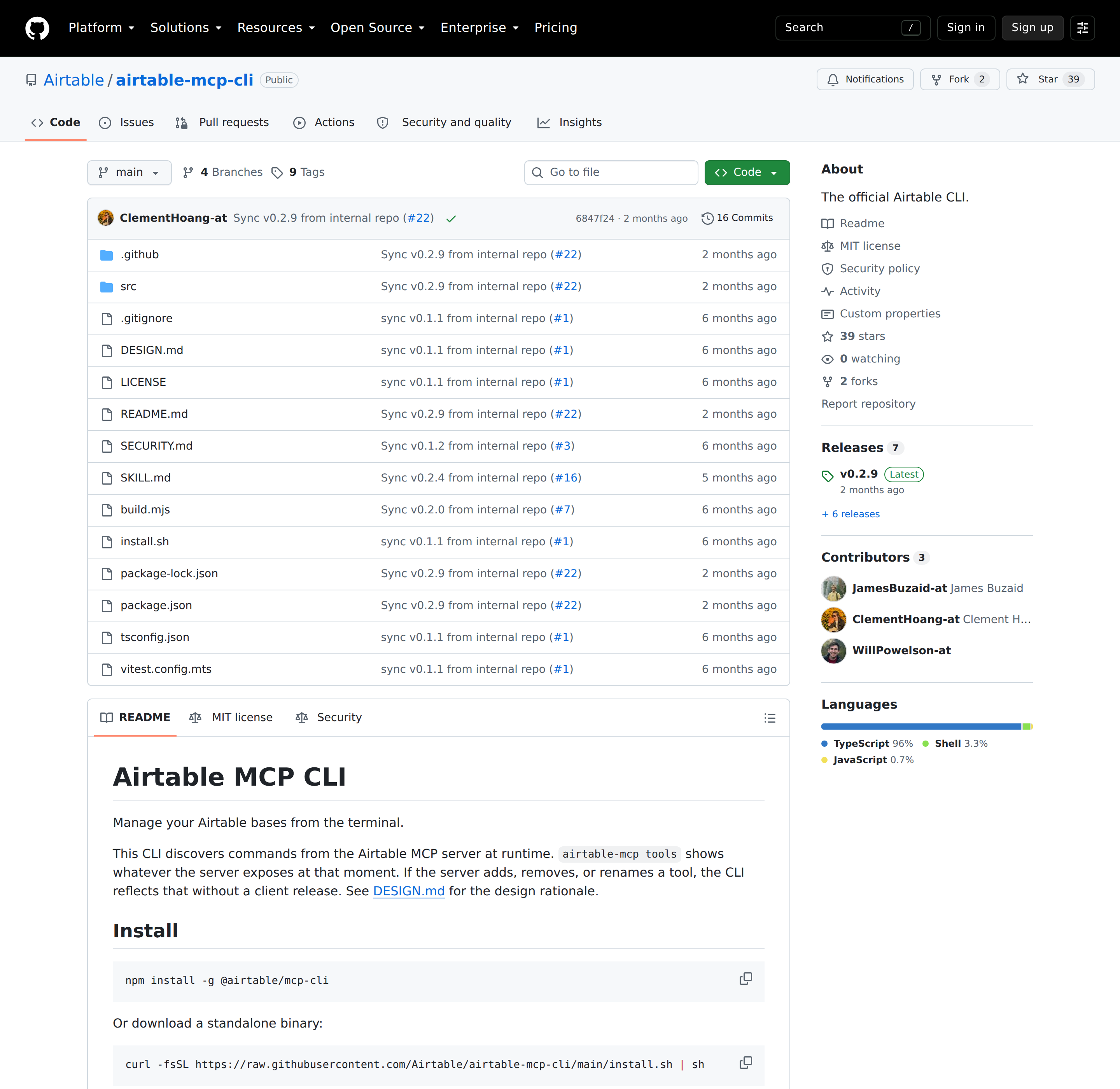
Three ways to give an assistant your Airtable data
| Path | Who maintains it | Transport | Best for |
|---|---|---|---|
Hosted MCP server (mcp.airtable.com/mcp) |
Airtable (first-party) | Streamable HTTP, OAuth or PAT | Clients that support remote MCP; no local process |
Official CLI (@airtable/mcp-cli) |
Airtable (first-party) | Drives the hosted server | Scripts, CI, agents with a shell; discovers tools at runtime |
Community server (airtable-mcp-server) |
Community (npm) | stdio (local) or its own HTTP mode | Full local control, self-hosted, offline-ish setups |
If your client speaks remote MCP, the hosted server is the shortest path. If you are wiring a scheduled job or an agent that runs commands, the CLI is the more honest fit. The community server is the one to reach for when you need the process on your own box and the tool surface is not negotiable.
Set up the official CLI in about two minutes
The CLI's design point is that it discovers its commands from the server at runtime. airtable-mcp tools shows whatever the server exposes right now, so a server-side tool rename does not require a client release:
npm install -g @airtable/mcp-cli
airtable-mcp configure          # stores a PAT in a default profile
airtable-mcp tools              # lists what the server currently exposes
airtable-mcp list-bases
airtable-mcp list-records --baseId appXXX --tableIdOrName Tasks
For agents and CI, skip the interactive configure step entirely:
export AIRTABLE_TOKEN=pat_xxx
airtable-mcp tools --json
echo '{"baseId":"appXXX","tableIdOrName":"Tasks"}' | airtable-mcp list-records --input - -q
Two details worth internalising before you script against it:
- Tool names and schemas are explicitly unstable. The CLI README says the stable part is flags, output behaviour, and exit codes; tool names come from the server and "may be renamed, removed, or have their arguments changed". Check for a tool's existence before calling it and handle unexpected fields rather than assuming a shape.
- Endpoints are pinned to HTTPS on
*.airtable.com. TheAIRTABLE_MCP_ENDPOINToverride exists, but the client refuses to send a token to a non-Airtable host. That is deliberate exfiltration protection, and it is why you cannot point the official CLI at a random self-hosted MCP URL.
Config lives at ~/.airtable/cli.json (mode 0600, directory 0700), with a 60-second tool-definition cache at ~/.airtable/cache-{profile}.json. Use --refresh to bypass the cache after a server-side tool change, and --profile <name> to keep work and personal tokens apart.
The token model is where setups break
A personal access token is not "an Airtable key". It is the union of scopes (what actions) and resources (which bases). Both must line up, and the failure mode is asymmetric:
- A token with
data.records:readand a base added as a resource can read records in that base. The same token on a base that was never added returns nothing useful — not an error that reads like a permission problem. - A token with
schema.bases:readcan see table structure but not rows. - Writes need
data.records:writeand the user who created the token must have editor (or better) access to the base. Creator permission is required for anything that customises fields.
The practical upshot: when an assistant "can't find" a base, check resources before you check scope. Create tokens at airtable.com/create/tokens, and prefer adding specific bases rather than "all resources" for anything an agent touches unattended.
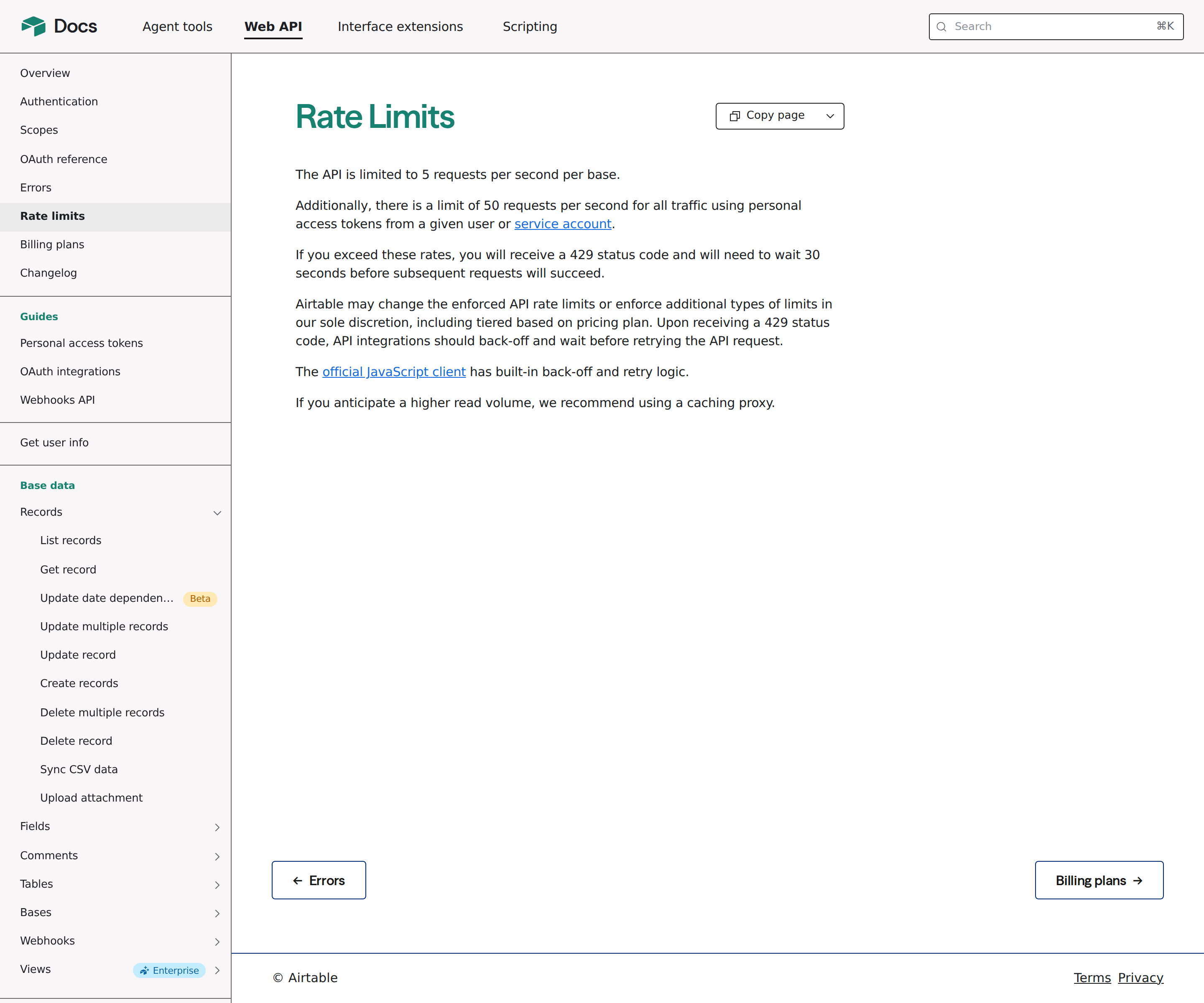
Rate limits and pagination: two numbers and one token
The API is limited to 5 requests per second per base, plus 50 requests per second across all traffic using PATs from a single user or service account. Exceed either and you get a 429, after which Airtable asks you to wait 30 seconds before requests succeed. Back off on 429; do not retry in a tight loop. The official JS client (airtable.js) implements back-off and retry for you, and Airtable recommends a caching proxy for read-heavy agent workloads.
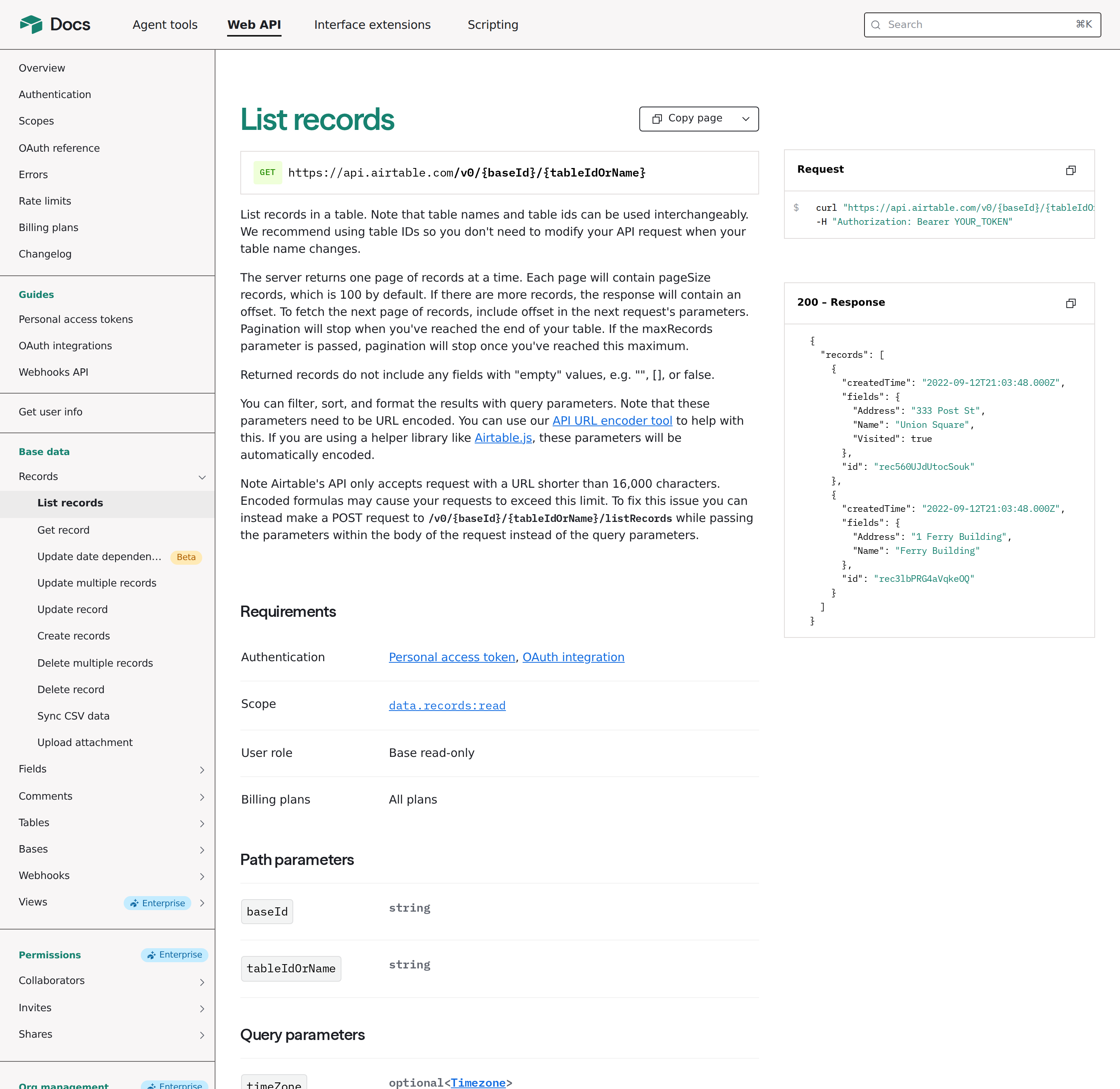
Pagination is the offset token, not page numbers:
pageSizecaps at 100 (default 100).maxRecordscaps the total across pages.- Each response may carry an
offset; pass it back to get the next page and stop when it is absent. - Returned records omit fields whose value is empty —
"",[], orfalseare not included. An agent that assumes every field key is present will mis-read records.
And one hard ceiling that surprises people building filters: Airtable rejects requests whose URL exceeds 16,000 characters, and a percent-encoded filterByFormula gets there fast. The fix documented by Airtable is to POST to /v0/{baseId}/{tableIdOrName}/listRecords and put the parameters in the body instead of the query string.
Using filterByFormula without fighting it
filterByFormula is Airtable formula syntax, not SQL, and the assistant will generate it confidently and wrongly. The rules that matter:
- A record is returned when the formula evaluates to something that is not
0,false,"",NaN,[], or#Error!. - Field names containing spaces must be wrapped in curly braces:
{Due Date} < TODAY(). - Formulas can reference field names or field IDs. Field IDs survive renames; names do not.
- The formula must be URL-encoded. Test it in a Formula field in the UI first — that is Airtable's own recommendation, and it is far faster than debugging through an agent.
- Combine with
viewand you get the intersection: only records in that view that also satisfy the formula.
A skill file that lists your base IDs, table IDs, and the exact field names goes a long way here. Without it the assistant guesses Status when your field is actually {Project Status}, the formula evaluates to an error on every record, and you get an empty list that looks like a connectivity bug.
Two Airtable-specific facts that change how you design the connection
1. Two-way sync tables are read-only through the API — and this is not obvious. If a table is synced from another base or an external source, the API will read it but writes fail. Agents built to "keep the tracker updated" break the moment the tracker is a sync table. Check whether the base is the source of truth before you grant write scope.
2. Airtable is a base, not a database. The API is scoped per base and per table with a 100-record page size and a 5 req/s/base ceiling. An agent that wants to "search across everything" cannot — it has to walk bases one at a time, which is exactly the shape you should design the skill file around (list the bases you care about, not "all bases").
Real workflows worth wiring up
- Stale-record sweep. "In the Content Calendar base, find posts whose Status is still
Draftand whose Target Date is before today, and post a summary in Slack." The agent reads the base, appliesAND({Status}="Draft", {Target Date} < TODAY()), and reports — no view to maintain. - Meeting note to record. Paste a call summary and have the assistant create one row per action item with owner, due date, and a link back to the source.
create_recordper item, or a single batched create. - Cross-tool triage. Airtable holds the plan; GitHub, Linear, or Jira hold the work. With both connected, "which launch-checklist items have no linked ticket yet?" becomes a single question instead of two tabs. See how to connect Airtable to OpenClaw for the self-hosted route, or the Airtable AI automation guide for the scheduled-job angle.
- Base-shape questions. "Which tables in this base have a field that looks like a duplicate of another?" — the schema tools (
list_tables,describe_tableatidentifiersOnly/full) answer this without pulling a single row, which keeps you well under the rate limit.
Pitfalls specific to Airtable MCP
- Scope without resource. The single most common "it can't see my base" cause: correct scope, base never added to the token.
- Field-name drift. Agents guess display names; formulas fail silently to an empty result. Put real field names in the skill file, or use field IDs.
- 429 storms from fan-out. One question can become dozens of
list_recordscalls. At 5 req/s/base, a loop over ten bases at full tilt trips both limits. Batch, cache, and back off. - The 100-record page trap. Treating a single
list_recordsresponse as "the whole table" is wrong the moment a table passes 100 rows. - 16,000-character URLs. Long encoded formulas must move to the POST form.
- Empty fields are absent. Do not assume a key exists in a record.
- Sync tables are read-only. Write agents break on them.
- Token = your user account. A PAT acts as the person who created it, so an unattended agent inherits a human's access. Prefer a dedicated user or a service account, and scope the token to only the bases it needs.
- Tool names are not a stable API. Both the hosted server and the CLI explicitly reserve the right to rename or drop tools. Script against the
tools --jsonoutput at runtime, not a hardcoded list.
Where Airtable MCP fits next to the alternatives
If your team already lives in Slack, connecting Airtable to OpenClaw gives you a persistent assistant that can read bases and answer in-channel, rather than a per-query MCP session. If your base is really a spreadsheet in disguise, compare the Google Sheets MCP path before committing — the token and rate-limit models are quite different. And if your operational truth lives in Notion instead, the Notion MCP guide covers that server's block-based quirks. You can also compare against the Airtable + ChatGPT route if you want the connector without a self-hosted client.
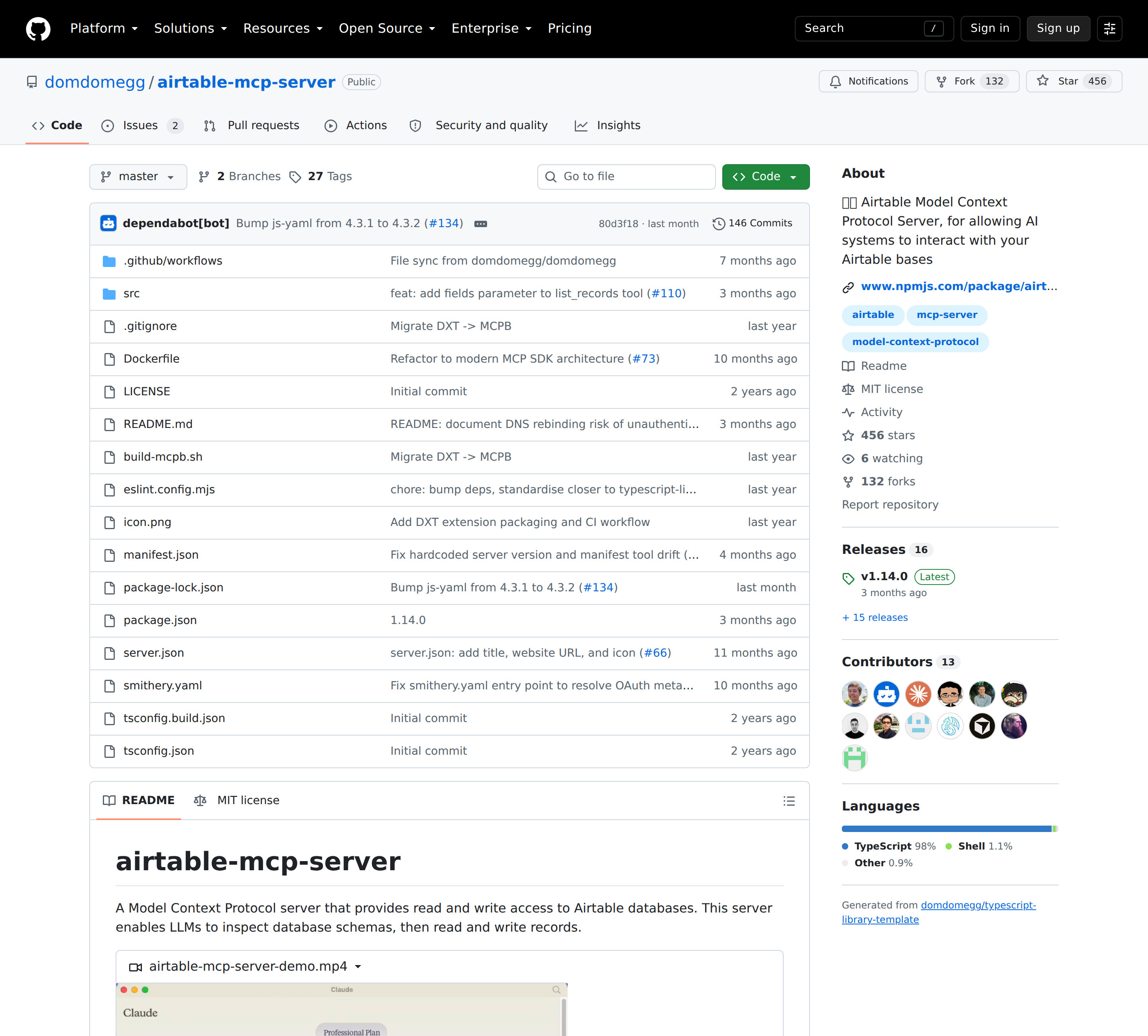
One honest caveat about self-hosting
The community server can run in HTTP mode (MCP_TRANSPORT=http PORT=3000 npx airtable-mcp-server) for remote clients, and its README carries an unusually blunt warning: that HTTP transport has no built-in authentication, binding to localhost is not a security boundary against browsers because of DNS rebinding, and a malicious page could invoke its tools — including deletes — using the server's Airtable token. If you self-host it, put it behind a reverse proxy that requires a credential a browser will not attach cross-origin, or stay on stdio. This is the kind of detail that separates a real integration guide from a copied config block.
How to Connect Airtable via MCP
There are two main paths:
Option A: Use a community MCP server for Airtable
No company-maintained MCP server currently exists for Airtable. Community-built servers are available — search the MCP Registry or GitHub for "Airtable MCP server".
What you'll need:
- An MCP-compatible client (Claude Desktop, OpenClaw, or another host)
- A running MCP server process with Airtable credentials configured
- Basic familiarity with running a local service or Docker container
Community servers vary in completeness and maintenance quality — review the repo before committing to one.
Option B: Use Cody (OpenClaw-based, managed)
Cody is built on OpenClaw and supports MCP-compatible integrations out of the box. You connect Airtable once from the Cody dashboard — no server to run, no code to write — and Cody handles authentication, context passing, and write-back actions with appropriate guardrails.
Cody works where your team already operates: Slack, Telegram, or the web chat. The Airtable connection is available to your entire team without each person setting up their own MCP client.
Want Airtable Connected to AI Without Running Your Own MCP Server?
Cody gives your team an Airtable assistant in Slack, so people can search bases, summarise records, spot stale or missing updates, and draft tracker summaries without managing tokens, formula syntax, or Airtable API plumbing.
MCP vs Other AI Integration Patterns
| Approach | What it is | Tradeoff |
|---|---|---|
| MCP | Standardised protocol for live tool access | Requires an MCP server; most powerful when set up correctly |
| RAG (retrieval) | Pre-index Airtable content and retrieve it | Good for static docs; not suitable for live/transactional data |
| Manual copy-paste | Paste Airtable output into ChatGPT/Claude | Fast to start; breaks for anything recurring or at scale |
| Custom API wrappers | Bespoke integration code per tool | Full control; high maintenance overhead |
MCP wins when you need live data from Airtable and want to avoid rebuilding integrations as APIs change.
Common Mistakes
- Using training data when live data is needed — if the AI doesn't have an MCP connection, it will answer from memory, which is often outdated or wrong for account-specific questions
- No write-back guardrails — MCP can write to Airtable, so it's worth adding an approval step for any action that modifies records
- Too many tools exposed at once — give the AI access to the Airtable actions it actually needs; a scoped connection is easier to reason about and audit
- Skipping structured outputs — ask the AI to return structured JSON or clear fields when writing back to Airtable; free-form output is harder to validate
Related MCP Guides
Want the full workflow picture? See: Airtable AI Automation and How to Connect Airtable to OpenClaw.