If you're searching for "n8n MCP", you're asking one of two things: does n8n have an MCP server? or how do I connect n8n to an AI assistant via the Model Context Protocol?
✅ n8n has an official MCP server. Details in the setup section below.
What Is MCP?
Model Context Protocol (MCP) is an open standard developed by Anthropic that lets AI assistants — like Claude — connect to external tools, APIs, and data sources in a standardised way.
Before MCP, every AI integration required bespoke tooling: custom prompts, custom API wrappers, and custom glue code to pass context back and forth. MCP replaces that with a common interface: the AI asks the MCP server for data or actions, the server returns structured results, and the AI uses them to answer your question or complete a task.
In plain terms: MCP is how you give an AI assistant live access to n8n — not just knowledge about it, but real, up-to-date data from your account.
What a n8n MCP Integration Does
Once n8n is connected via MCP, your AI assistant can:
- Read live data — pull records, metrics, activity, and status directly from n8n
- Take actions — create, update, or log records based on your instructions
- Cross-reference context — combine n8n data with other connected tools mid-conversation
The key difference from a standard chatbot: the assistant is not working from training data or memory. It is reading your actual n8n instance, in real time.
Practical n8n MCP Use Cases
Trigger and inspect automations from chat
Ask the assistant to list recent workflow runs in n8n, identify failures, and explain what went wrong — so you can debug faster.
Workflow creation from description
Describe what you want to automate; the assistant drafts the workflow structure and, via MCP, creates or updates it in n8n.
AI steps inside your existing workflows
Use n8n to trigger the AI step — via MCP — and get structured outputs (classifications, summaries, extracted fields) back into your automation flow.
n8n MCP: Real Configuration & Setup (as of 2026)
The phrase "n8n MCP" is doing double duty, and the confusion costs people days. n8n is not a single MCP endpoint you point an assistant at. It sits on both sides of the protocol at once:
| Direction | What it means | n8n surface |
|---|---|---|
| n8n as an MCP server | Outside AI clients call your n8n tools | MCP Server Trigger node |
| n8n as an MCP client | Your n8n AI agents call external MCP tools | MCP Client Tool node |
That split is the whole story, and it is why "does n8n have an MCP server?" has an honest answer of yes — you build it yourself, inside a workflow. n8n's official MCP support lives in core nodes rather than at a hosted mcp.n8n.io-style endpoint, so there is no vendor URL to paste into Claude. There is a node to wire up.
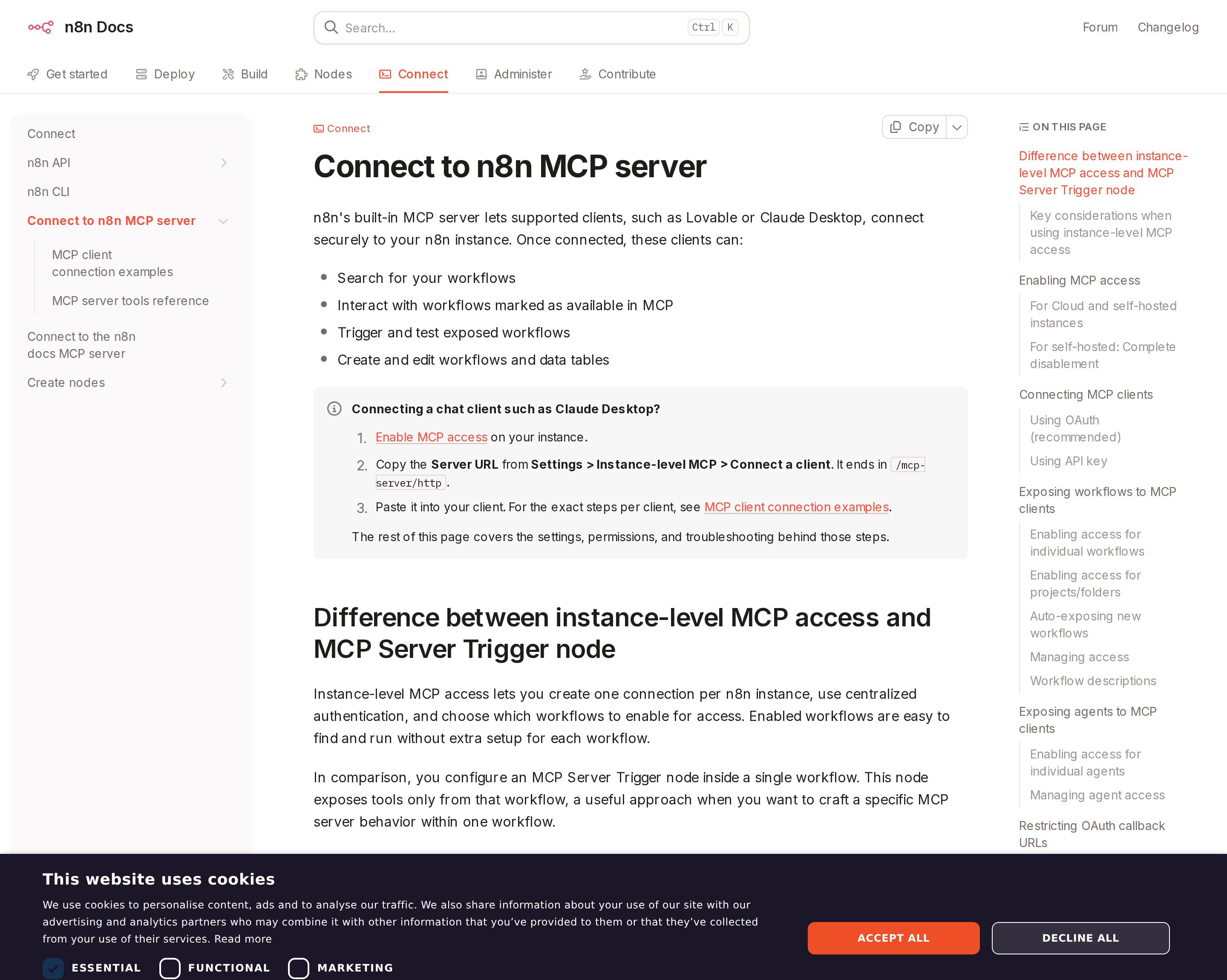
n8n ships first-party MCP building blocks: the MCP Server Trigger exposes a workflow as a server; the MCP Client Tool lets n8n agents consume external MCP tools.
The MCP Server Trigger node: an MCP server as a workflow
The MCP Server Trigger node makes n8n act as an MCP server. MCP clients hit a URL that n8n exposes, and each tool they call maps to a workflow path. The load-bearing facts:
- It has two URLs — Test and Production. n8n displays both at the top of the node panel. The Test URL is registered when you click Listen for Test Event or Execute workflow while the workflow is inactive — calling it routes data into your editor. The Production URL is the one you give a real client, and it requires the workflow to be active. Pasting the test URL into Claude Desktop and wondering why nothing is stable is the classic first mistake.
- Transport is HTTP, not stdio. n8n's docs state it currently does not support stdio transport — connections are network-based. That is fine for remote/cloud n8n, and it is the reason a self-hosted OpenClaw or Claude Desktop connects via an
mcp-remote-style bridge rather than a local command. - You have to explicitly expose each tool. You drag the MCP nodes you want to expose into the trigger's branch and describe them. The MCP Server Trigger is a gate, not a mirror: only the tools you wire to it are reachable.
- Authentication is a node parameter with a sharp edge. When you set Authentication to None,
claude.aiwill still ask users to sign in, because it assumes every MCP endpoint on your domain uses n8n's user authentication. That mismatch — client expects auth, server offers none — reads as a broken integration but is a configuration one.
A client config for a self-hosted OpenClaw (or Claw Desktop) instance looks like this:
{
  "mcpServers": {
    "n8n": {
      "command": "npx",
      "args": [
        "mcp-remote",
        "<YOUR_N8N_PRODUCTION_MCP_URL>",
        "--header",
        "Authorization: Bearer ${AUTH_TOKEN}"
      ],
      "env": { "AUTH_TOKEN": "<YOUR_BEARER_TOKEN>" }
    }
  }
}
Running n8n behind a reverse proxy (the nginx trap)
This is the single most under-documented failure mode, and it hits exactly the self-hosted setups most likely to use OpenClaw. If n8n sits behind nginx and the MCP endpoint is not configured for SSE or streamable HTTP, requests hang or drop.
n8n's documented fix is to disable proxy buffering for the MCP endpoint specifically — and the settings must be set on that location block, not inherited from a broader one:
location /mcp/ {
  proxy_http_version 1.1;
  proxy_buffering off;        # required
  gzip off;                   # n8n handles compression itself
  chunked_transfer_encoding off;
  proxy_set_header Connection "";
}
If your MCP calls return nothing while the same workflow works in the editor, check buffering before you check anything else.
The MCP Client Tool node: n8n consuming external MCP tools
The reverse direction is the MCP Client Tool node, which lets an n8n AI agent call tools on an external MCP server. This is the node that makes n8n a genuine orchestration layer for agentic work: the agent node decides what to do, the MCP Client Tool gives it hands elsewhere, and the rest of the workflow handles the deterministic steps around it.
The practical consequence: n8n can be the bridge between two systems that each speak MCP but never talk directly. A support workflow can read from one MCP server, write to another, and log the whole thing in n8n's execution history — which is also the only place you get a durable audit trail of an agent's tool calls.
Instance-level MCP: n8n's own server, and the n8n_manage_agents path
n8n has moved beyond node-only support. Newer releases expose an instance-level MCP server — an n8n API key specifically for MCP, found under Settings → Instance-level MCP, with an MCP status toggle to enable it. The community n8n-mcp project consumes this for agent management tools such as n8n_manage_agents, which requires n8n 2.34+ with the agents module.
Two details there matter operationally:
- The MCP access token is a separate secret from your n8n API key. Treat it as its own credential — separate storage, separate rotation.
- Instances that serve MCP from a split host are not supported. If your n8n API lives on one origin and MCP on another, the derived-endpoint assumption breaks.
For a coding assistant: the 2,864-node documentation server
There is a second, entirely different job n8n MCP does — and it is the one most people actually want first. The community n8n-MCP server gives an AI assistant structured knowledge of n8n itself so it can build workflows instead of hallucinating nodes:
- 2,864 n8n nodes — 836 core + 2,028 community (1,674 verified)
- 2,352 workflow templates with near-complete AI metadata coverage
- 267 AI-capable tool variants with documentation
- Validation tools such as
validate_workflow(connections, expressions, AI tools) and asearch_nodes→get_node→validate_nodebuild loop
It is a genuinely useful complement to the trigger node: one server helps you author n8n automations, the other executes them.
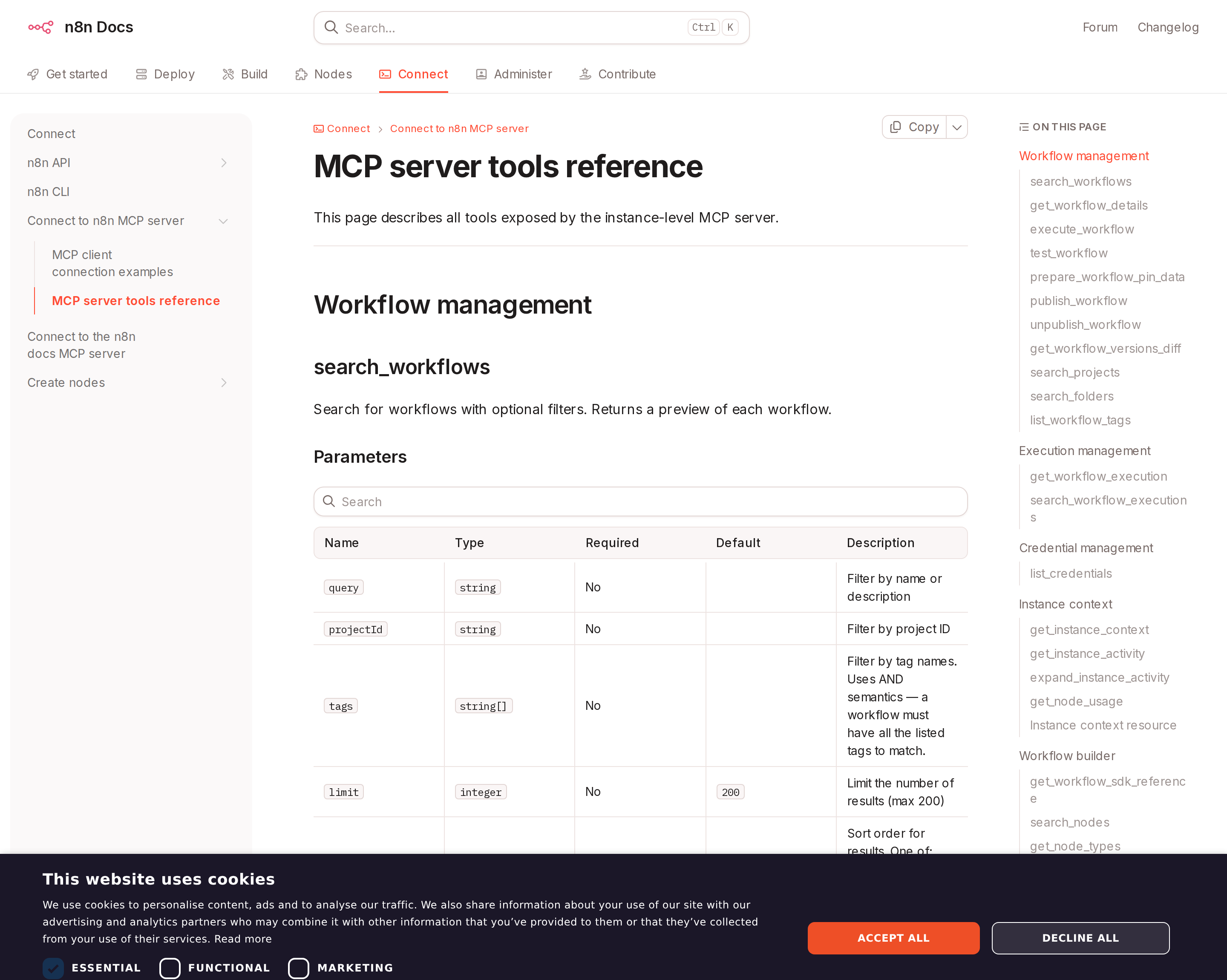
The community n8n-MCP server exposes search + validate tools so an assistant can design workflows against real node schemas instead of guessing.
What this looks like for a self-hosted agent
Three realistic paths, and they are not equally good:
| Path | Setup | Best for | Hard limit |
|---|---|---|---|
| MCP Server Trigger (n8n → assistant) | Build a workflow, wire tool nodes, activate, expose Production URL | Giving an assistant a curated set of real actions | You design the tool surface; nothing is exposed by default |
| MCP Client Tool (n8n → external MCP) | Add the node to an agent workflow | n8n as the agent orchestrator | Interactive agent runs, not unattended batch |
Instance-level MCP + n8n_manage_agents |
Enable in Settings → Instance-level MCP, store the MCP token | Managing n8n's own agents programmatically | n8n 2.34+; no split-host deployments |
Cody takes the first path and removes the maintenance: n8n workflows are connected once from the Cody dashboard and then reachable from Slack, Telegram, or web chat — no reverse-proxy tuning, no per-client JSON, no token in a desktop config file.
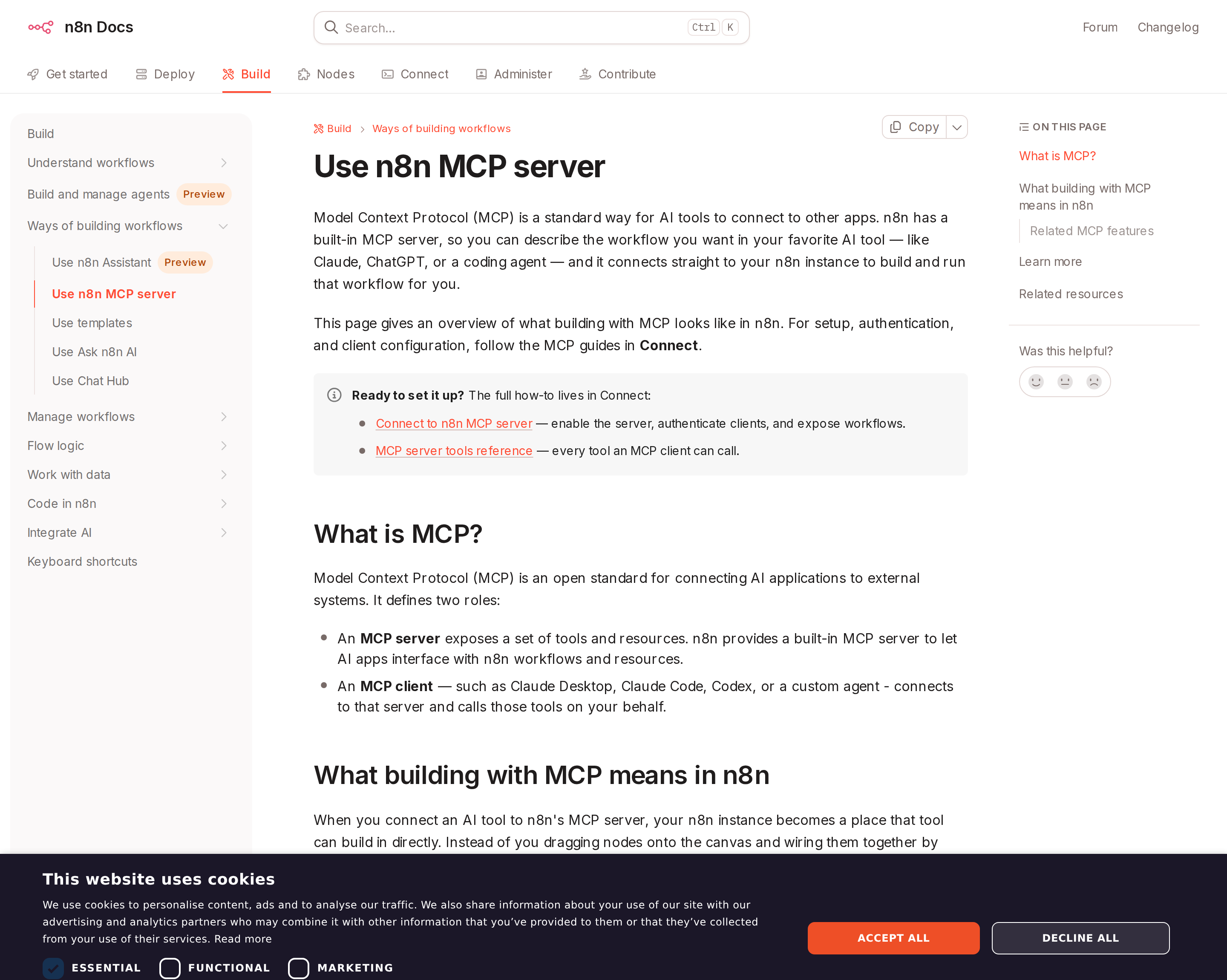
In n8n, MCP is not a separate product surface — it is a node in the workflow, which is exactly why the "server or client?" question trips people up.
How to Connect n8n via MCP
There are two main paths:
Option A: Use n8n's official MCP server
n8n maintains an official n8n MCP server. This is the recommended starting point — it's built and maintained by the n8n team, so it stays up to date with API changes.
Note: n8n now ships first-party MCP building blocks inside the product, which makes it unusually relevant for teams designing agentic workflows as well as classic automations.
What the server exposes:
- MCP Server node
- MCP Client tool node
- MCP Trigger node
- AI-agent workflow building
What you'll need:
- An MCP-compatible client (Claude Desktop, OpenClaw, or another host)
- n8n credentials configured per the server's setup guide
This path gives you the most control but requires you to handle client configuration and credential management yourself.
Option B: Use Cody (OpenClaw-based, managed)
Cody is built on OpenClaw and supports MCP-compatible integrations out of the box. You connect n8n once from the Cody dashboard — no server to run, no code to write — and Cody handles authentication, context passing, and write-back actions with appropriate guardrails.
Cody works where your team already operates: Slack, Telegram, or the web chat. The n8n connection is available to your entire team without each person setting up their own MCP client.
Want n8n Connected to AI Without Running Your Own MCP Server?
Cody gives your team an n8n AI assistant in Slack, so people can inspect workflows, review failed executions, explain automation ownership, and trigger approved flows without living inside the n8n editor or building a separate ops surface for automation triage.
MCP vs Other AI Integration Patterns
| Approach | What it is | Tradeoff |
|---|---|---|
| MCP | Standardised protocol for live tool access | Requires an MCP server; most powerful when set up correctly |
| RAG (retrieval) | Pre-index n8n content and retrieve it | Good for static docs; not suitable for live/transactional data |
| Manual copy-paste | Paste n8n output into ChatGPT/Claude | Fast to start; breaks for anything recurring or at scale |
| Custom API wrappers | Bespoke integration code per tool | Full control; high maintenance overhead |
MCP wins when you need live data from n8n and want to avoid rebuilding integrations as APIs change.
Common Mistakes
- Using training data when live data is needed — if the AI doesn't have an MCP connection, it will answer from memory, which is often outdated or wrong for account-specific questions
- No write-back guardrails — MCP can write to n8n, so it's worth adding an approval step for any action that modifies records
- Too many tools exposed at once — give the AI access to the n8n actions it actually needs; a scoped connection is easier to reason about and audit
- Skipping structured outputs — ask the AI to return structured JSON or clear fields when writing back to n8n; free-form output is harder to validate
n8n-Specific Pitfalls (the ones that cost an afternoon)
- "n8n has an MCP server" is only half true, and the half you get is the one you build. There is no official hosted endpoint comparable to
mcp.hubspot.comormcp.stripe.com. n8n ships nodes — an MCP Server Trigger for exposing tools and an MCP Client Tool for consuming them. Teams that go looking for a URL to paste will find community servers instead, which is a different thing entirely. - Test URL vs Production URL is the #1 time-waster. The Test URL only exists while you are listening or executing an inactive workflow; the Production URL needs the workflow active. Symptom: the client works while you watch the editor and fails silently the moment you close the tab.
- stdin/stdout transport is not supported. n8n's MCP connections are network-based over HTTP. Any tutorial that hands you a
"command": "n8n"stdio block is describing a community wrapper, not n8n's node. Use amcp-remote-style bridge instead. - Behind nginx, you must disable proxy buffering on the MCP location. Not globally — on that endpoint. Buffering, gzip, and chunked encoding all need explicit handling, and the failure mode is a hang rather than an error, so it gets misdiagnosed as an auth problem.
Authentication: Nonedoes not mean "no sign-in prompt."claude.aiassumes every MCP endpoint on your domain uses n8n's user authentication, so it prompts anyway. Either set real auth or accept the prompt; do not treat the prompt as evidence auth is misconfigured.- Only what you wire to the trigger is reachable — and that cuts both ways. Exposing every n8n node to an assistant is a blast-radius decision, not a convenience one. Unattended agents especially need this gate kept narrow: name the tool nodes explicitly, and keep destructive or credential-touching operations out of the exposed branch.
- Never point a build-it-for-me assistant at production workflows. The community documentation server's own README opens with that warning for a reason: AI-generated workflow edits are validated structurally, not business-logically. Copy the workflow first, let the assistant build against the copy, then promote manually.
- Unattended agents need a read-only API key and a narrowed tool list. For governance-sensitive instances the documented pattern is to combine a read-only n8n API key with tool allow/deny lists — and to be careful that disabling a tool also removes its read operations, whereas disabling specific write operations keeps
listandgetavailable. The two are not interchangeable, andexposein particular is a write that stays reachable if you forget it. - The MCP token and the API key are different secrets. The instance-level MCP access token is issued separately. Rotating one does not rotate the other, and sharing them across environments is how a read-only intent quietly becomes a write path.
- Credential and queue behaviour is your responsibility, not n8n's. n8n's flexibility is that you own the instance, workers, queues, and credential store — which also means execution retention, secret handling, and upgrade compatibility are yours. When an MCP tool call fails, the failure is usually an expired downstream credential surfacing at the node level, not an MCP problem.
n8n MCP vs. Zapier MCP vs. Make MCP
This is where n8n's MCP story genuinely differs from its two closest competitors, and the difference is architectural:
- Zapier MCP and Make MCP are hosted endpoints you connect to. You authenticate, and a managed surface of thousands of app actions appears. Fast, low-maintenance, and you do not own the execution layer.
- n8n MCP is infrastructure you run. You get whatever you build, on your own hardware, with your own credentials, plus the option to run n8n as an MCP client as well. More work, materially more control.
The honest decision rule: if you want an assistant to act across many SaaS apps today, a hosted MCP is faster; if the automation logic itself is the asset, n8n is the only one of the three where you own it. If you are weighing the hosted route, our Make MCP and Zapier MCP guides cover those endpoints directly.
For the assistant-facing side — how n8n shows up as an AI assistant inside Slack, execution triage, and why triggered workflows are asynchronous by nature — see n8n AI automation and connecting OpenClaw to n8n.
Related MCP Guides
Want the full workflow picture? See: n8n AI Automation and How to Connect n8n to OpenClaw.