Tools
Similarity Search
Give your agent a library of your own documents, such as past proposals, contracts, quotes or internal policies. When you ask it for something, it finds the most relevant documents first and works from them, so its answers and drafts sound like your company, not like a generic AI.
Open in your dashboard →What people use it for
Agencies and consultancies
Write proposals from every deal you’ve won
Upload years of proposals. For each new opportunity the agent finds the closest past winners and drafts from your real structure, scope and pricing. A first draft in minutes instead of days, for every lead in the pipeline.
Your best work reused on every proposal
Investors
Draft from your whole deal history
With hundreds of term sheets and memos in a knowledge base, the agent finds the deals most like the new one and drafts from the clauses and arguments you actually use.
Your entire track record, searchable in seconds
Construction and services
Quote at the speed of requests
The agent looks up past estimates for similar jobs and proposes line items and prices from what you charged before, so every incoming request gets a consistent quote the same day.
Same-day quotes for every request
HR and operations
Instant answers for the whole company
Load your handbook, procedures and policies once. Everyone can ask the agent in Slack, Teams or WhatsApp and get the answer with the document it came from, instead of asking HR.
Every employee, every question, any hour
How it works
- 1
Create a knowledge base
In Tools → Similarity Search, create one for a kind of document, such as “Client proposals 2025–2026”, with a short description of what’s inside. - 2
Upload your documents
Drag the files in. A good start: the ten documents you most often copy from when writing something new. - 3
Ask your agent
You never search by hand. When a request would benefit from your documents, the agent searches, reads what it found and works from it.
What happens when you ask
Draft a proposal for a 40-room hotel that wants a new booking system, based on our past proposals.
Behind the scenes
- 1
Picks the knowledge base
It reads the names and descriptions of your knowledge bases and chooses the right one.
🗄️ client-proposals ✓employee-handbookprice-lists - 2
Searches two or three ways
Different wordings catch different documents. It merges the results.
⌕ hotel booking system proposal⌕ property management software for hotels, 30–50 rooms⌕ propuesta motor de reservas hotel - 3
Reads the best passages, and whole files when it needs to
Each result says which file and page it came from. For a full draft it opens the closest originals.
Proposal_Casa_Lumbre_2026.pdf · p. 2Proposal_Hotel_Miramar_2025.pdf · p. 6Proposal_Grupo_Velada.pdf · p. 4 - 4
Drafts from them and tells you its sources
Your structure, your scope, your prices, adapted to the new request.

The library grows by itself. When you approve a final version, the agent can add it back to the knowledge base, so the next draft starts from this one too.
Examples of what to ask
Cody
Online
What notice period do we give clients in our standard maintenance contract?
30 days’ written notice, according to section 9.2 of “Maintenance contract template v4”. Two older contracts from 2024 use 60 days, if you need those.
Cody
Online
A client wants a quote to refurbish a 90 m² office with new lighting and two meeting rooms. Base it on what we charged for similar jobs.
I found 4 comparable estimates from the last 18 months (80–120 m² offices). I’ve built the quote from their line items, using your current lighting prices and the average labour rate from those jobs: €38,400 before VAT. Breakdown attached, with the estimates I used.
One knowledge base per kind of document
Under the hood: hybrid search
Similarity Search is what’s known as RAG (retrieval-augmented generation): before the AI writes, it retrieves the most relevant pieces of your documents and works from them, instead of relying on what it learned in general. The answer is only as good as the pieces it finds, so we use the most reliable kind of retrieval: hybrid search.
When you upload a document
Your file
A PDF, Word, Excel or text document
Read
Text is extracted. Scanned pages go through OCR
Split into passages
Short sections that keep their page number
Indexed twice
By meaning and by exact words
Searchable
Usually 1–4 minutes after upload
Meaning index
Each passage is turned into a numeric fingerprint of what it means (an embedding), so passages about the same idea sit close together, whatever the wording or language.
Keyword index
Every word is also indexed as written, like a search engine does, so exact names, codes and numbers can always be found.
When your agent searches
Every search runs two searches at once. Keyword search ranks passages by the exact words they share with the query, the way classic search engines do (BM25-style ranking). Semantic search compares meaning, so it finds paraphrases, synonyms and other languages. The two result lists are merged, and a re-ranking model reads the best candidates and orders them by how well they actually answer the question.
The search your agent sends
Cancellation terms in Odoo maintenance contracts
Keyword search
Maintenance_Odoo_Northwind.pdf· p. 7
…support for the Odoo 17 instance under this maintenance agreement…
Proposal_Harbor_Foods.pdf· p. 3
…migration from Odoo 15 including data cleanup…
Great at names, codes, numbers. Misses other wordings.
Semantic search
Contrato_mantenimiento_v4.pdf· p. 12
9.2 Rescisión: cualquiera de las partes podrá resolver el contrato con 30 días de preaviso…
Maintenance_Odoo_Northwind.pdf· p. 9
Termination. Either party may end this agreement with written notice…
Finds paraphrases and other languages. Can miss exact codes.
What your agent gets back top passages, best first
Maintenance_Odoo_Northwind.pdf· p. 91
Termination. Either party may end this agreement with 30 days’ written notice…
Contrato_mantenimiento_v4.pdf· p. 122
9.2 Rescisión: cualquiera de las partes podrá resolver el contrato con 30 días de preaviso…
Maintenance_Odoo_Northwind.pdf· p. 73
…support for the Odoo 17 instance under this maintenance agreement…
| You search for… | Keyword search | Semantic search | Hybrid |
|---|---|---|---|
| A client or product name: “Northwind”, “Odoo 17” | ✓ finds it | Often misses | ✓ |
| A code or number: “clause 9.2”, “INV-2231” | ✓ finds it | Often misses | ✓ |
| The same idea in other words: “cancellation” vs “termination” | Misses | ✓ finds it | ✓ |
| Another language: English query, Spanish document | Misses | ✓ finds it | ✓ |
Your documents stay yours
Every part of Similarity Search, explained
What you see in Tools → Similarity Search, with the same names as the dashboard.
- Knowledge base
- A collection of related documents your agent can search, such as “Client proposals” or “HR policies”. You can have as many as you need.
- Name and slug
- The readable name, and a short ID (like client-proposals) that agents use to search that knowledge base specifically.
- Descriptionoptional
- What’s inside and when to use it. Agents read it to decide which knowledge base to search, so it’s worth writing.ExampleCommercial proposals sent to clients in 2025–2026, in Spanish and English.
- Who can use itWorkspace / Only me
- Workspace knowledge bases can be searched by everyone’s agents in the workspace; personal ones only by yours. Admins and builders create them.
- Drop files here
- Upload PDF, Word, Excel, CSV, Markdown, HTML or text files, up to 50 MB each. Scanned PDFs are read with OCR. Your agent can also add files: send it a document in the chat and ask it to save it to a knowledge base.
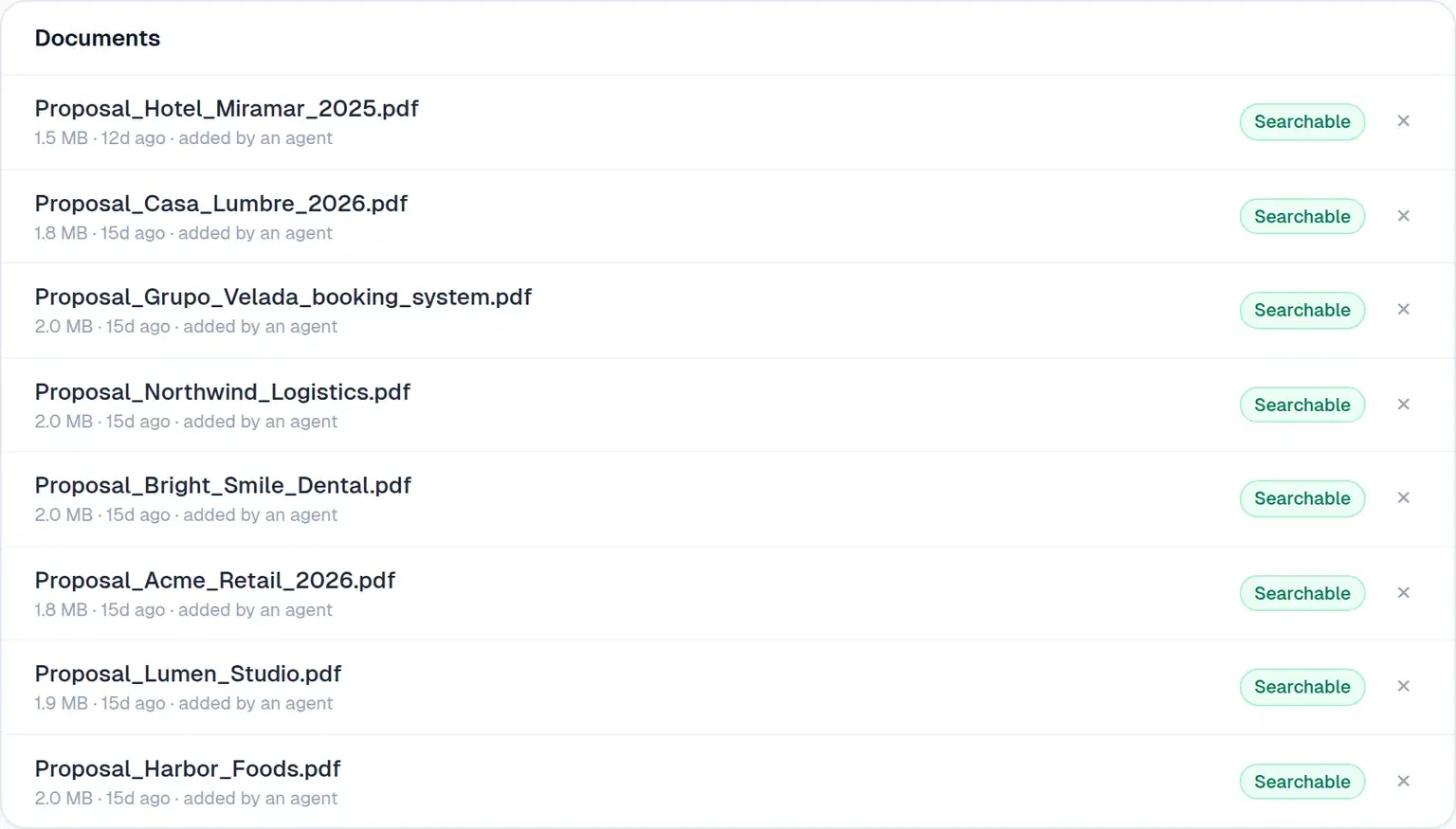
- Document status
- Queued and Uploading while it’s sent, Indexing… while it’s being read (usually 1–4 minutes), Searchable when your agent can find it, or Failed if the file couldn’t be read (try another format).
- Try a search
- Type a question to see what your agent would find, with the best matching passages. Tick “All knowledge bases” to search across all of them.
- Use it from your agents
- How many searches were made in the last 30 days, and the price. You don’t need the command shown there: just ask your agent.
- ✕ and Delete
- ✕ removes one document. Delete removes the whole knowledge base and its documents.
Frequently asked questions
+What kind of search is it?
Hybrid search, a form of retrieval-augmented generation (RAG): every search combines keyword search (exact words) with semantic search (meaning), and a re-ranking model puts the most useful passages first.
+Does the agent read the whole document?
A search returns the most relevant passages, each with its file name and page. When the agent needs more, for example to base a full draft on a past proposal, it opens the original file.
+How much does it cost?
470 credits per 1,000 searches. Storing documents is free.