Tools
Voice Calls
Your agent picks up the phone for you. It can call customers, suppliers or leads with a script you write, answer calls to your business number, book meetings, and send you the transcript and a short summary of every call.
Open in your dashboard →What people use it for
Sales teams
Run outbound voice campaigns
Give your agent a list of leads and a script. It works through the whole list: calls every contact, asks your qualifying questions, books demos straight into your reps’ calendars and logs every outcome. Your team only talks to the people who said yes.
Entire lead lists, not one call at a time
Clinics, salons and multi-site businesses
Confirm every appointment, every day
Each afternoon the agent calls everyone booked for tomorrow across all your locations, confirms or reschedules, and sends you the gaps to fill. No-shows drop without anyone at the front desk picking up a phone.
Every booking confirmed automatically
Operations and procurement
Chase every open order at once
Every morning the agent calls each supplier with a late or unconfirmed order, gets a delivery date, and sends you one summary with what’s on track and what isn’t. Hours of hold music, gone.
Your whole supplier list, before 10 am
Customer service
Answer every inbound call, 24/7
Put an inbound recipe on your numbers and the agent answers every call, nights and weekends included: explains your services, takes bookings and messages, and transfers only the urgent ones to a person.
Zero missed calls, even at peak times
How it works
You set things up once in the dashboard. After that, you simply ask your agent to make a call, in the chat or in Slack, Teams or WhatsApp, wherever you already talk to it.
- 1
Get a phone number
In Tools → Voice Calls → Numbers, search for a number (you can pick an area code) and buy it. This is the number people see when your agent calls, and the number they can call back. To have the agent answer it, choose an inbound recipe under “Answers inbound with”. Workspace admins buy numbers. - 2
Write a recipe
A recipe is the script for one kind of call: who the agent is, what it should achieve and how it should sound. You choose a voice, write the first sentence it says, and describe the goal in plain words. Recipes are either outbound (the agent calls someone) or inbound (the agent answers calls to your number). - 3
Add the details that change per call
Put words in curly brackets, like{customer_name}or{appointment_time}, where each call is different. Your agent fills them in before dialling, so one recipe works for every customer. - 4
Ask your agent to call
Tell the agent who to call and why. It picks the right recipe, fills in the details and makes the call. Afterwards it tells you what happened, and the transcript, summary and recording are saved in Call History, so you can also ask “What did the supplier say about the delivery date?”
Examples of what to ask

Cody
Online
Call Laura Gómez at +34 612 345 678 with the appointment reminder. Her appointment is Thursday at 10:30.
Done. Laura picked up and confirmed she’ll be there on Thursday at 10:30. She asked if she can bring her daughter for a check-up too — I told her the front desk will call to add it. Call lasted 1 min 12 s.
Cody
Online
Here’s the list of 8 leads from yesterday’s webinar. Call each one with the lead qualification recipe and book a demo for anyone with more than 20 employees.
Finished all 8 calls. 3 demos booked (Tuesday 11:00, Tuesday 16:00, Wednesday 9:30), 2 not interested, 2 went to voicemail and 1 asked to be called back next month. Here’s a table with each lead and the outcome.
Cody
Online
Every weekday at 17:00, call the patients booked for the next day and confirm their appointment. Send me the cancellations.
Scheduled. Each weekday at 17:00 I’ll call tomorrow’s patients and send you a list of anyone who cancels or doesn’t answer.
Writing a good prompt
The prompt is the briefing for the call. Write it as if you were briefing a new colleague on their first day: short and specific beats long. A good prompt answers four questions.
- Who are you?
- Name, company and role: “You are Sarah, the assistant at Bright Smile Dental.” Say the same in the opening message so the person knows who is calling.
- What is a successful call?
- The goal in one sentence: “Confirm the appointment, or offer to move it to another day this week.”
- What might you need to know?
- Prices, opening hours, the address, and what to say when asked something it doesn’t know: “I’ll pass your question to the team.”
- When do you hang up or transfer?
- Once the goal is met, if the person isn’t interested, on voicemail, or when they ask for a person (if Forward to human is on).
Every part of Voice Calls, explained
What you see in Tools → Voice Calls, tab by tab, with the same names as the dashboard.
The four tabs
- Outbound
- Recipes for calls your agent makes. Each one is a script for one kind of call, such as a reminder, a follow-up or a lead qualification call.
- Inbound
- Recipes for answering calls to your numbers, such as a receptionist or an after-hours line. An inbound recipe can’t be used to call out.
- Numbers
- The phone numbers your agent calls from and answers on. Here you buy numbers (searching by area code if you like) and choose which inbound recipe answers each one, or “Off” so it doesn’t answer.
- Call History
- Every call with who it was to and from, its status, duration, when it happened and who started it. Click a row for the transcript, the summary and the recording.
Recipe fields
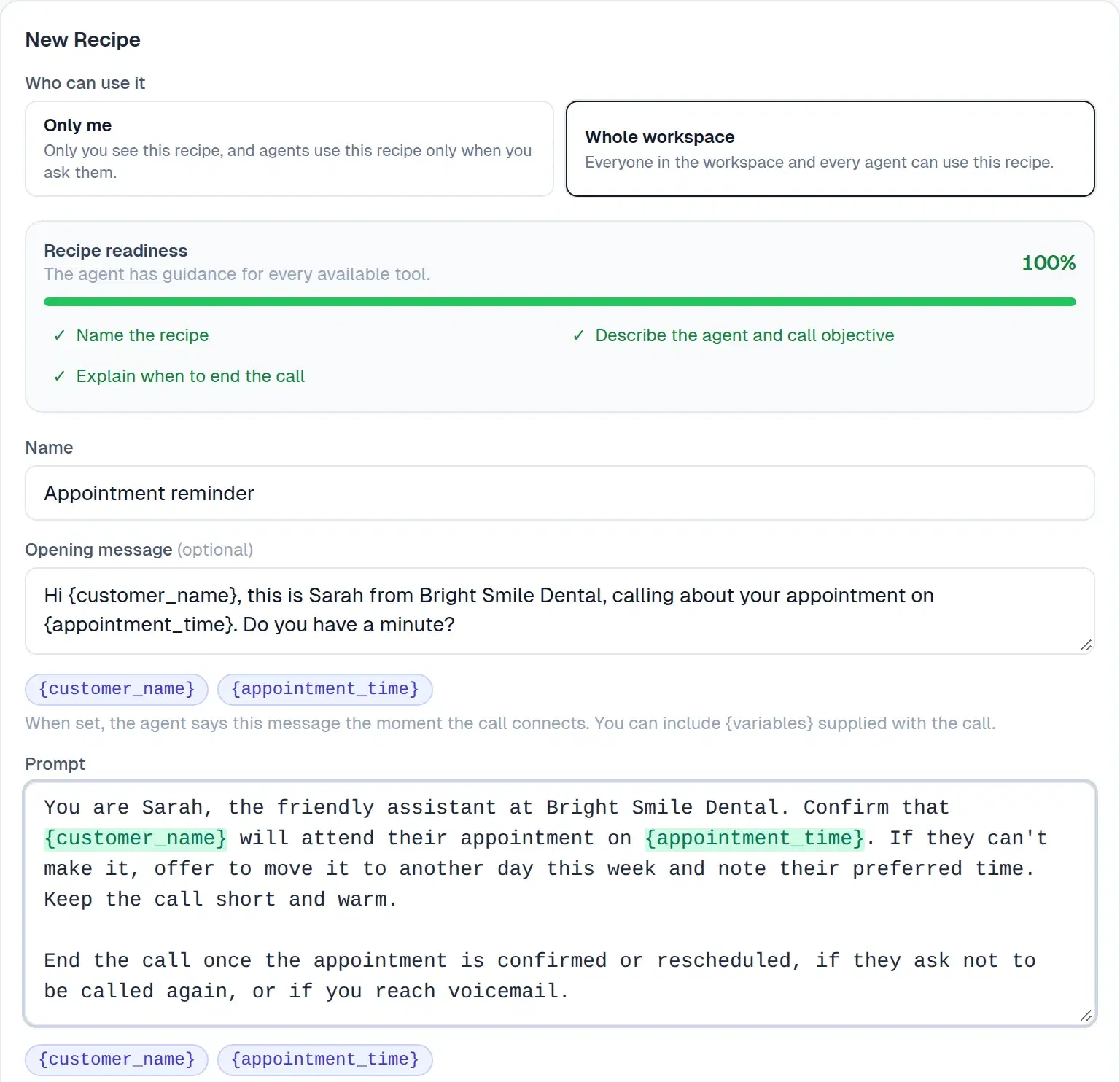
- Who can use itOnly me / Whole workspace
- A workspace recipe can be used by everyone in the workspace and by every agent. A personal recipe is visible only to you, and agents use it only when you ask.
- Recipe readiness
- A live checklist with a percentage. It checks that the recipe has a name, that the instructions describe who the agent is and what the call is for, and that they explain when to hang up and when to use each tool you enabled. If something is missing, “Add suggestion” writes a sentence for you.
- Name
- How you and your agent refer to the recipe, such as “Appointment reminder”. Your agent picks recipes by name, so make it descriptive.
- Opening messageoptional
- The exact first sentence the agent says when the call connects (outbound) or when it picks up (inbound). If you leave it empty, the agent opens in its own words based on the prompt.ExampleHi {customer_name}, this is Sarah from Bright Smile Dental, calling about your appointment on {appointment_time}.
- Prompt
- The briefing for the call: who the agent is, what it should achieve, facts it may need and how to behave. This is the most important field.
- {variables}
- Words in curly brackets in the opening message or prompt. They show up as tags under each field. Before calling, your agent must provide a value for each one, so the same recipe works for every customer.Example{customer_name}, {appointment_time}, {order_number}
- Voice
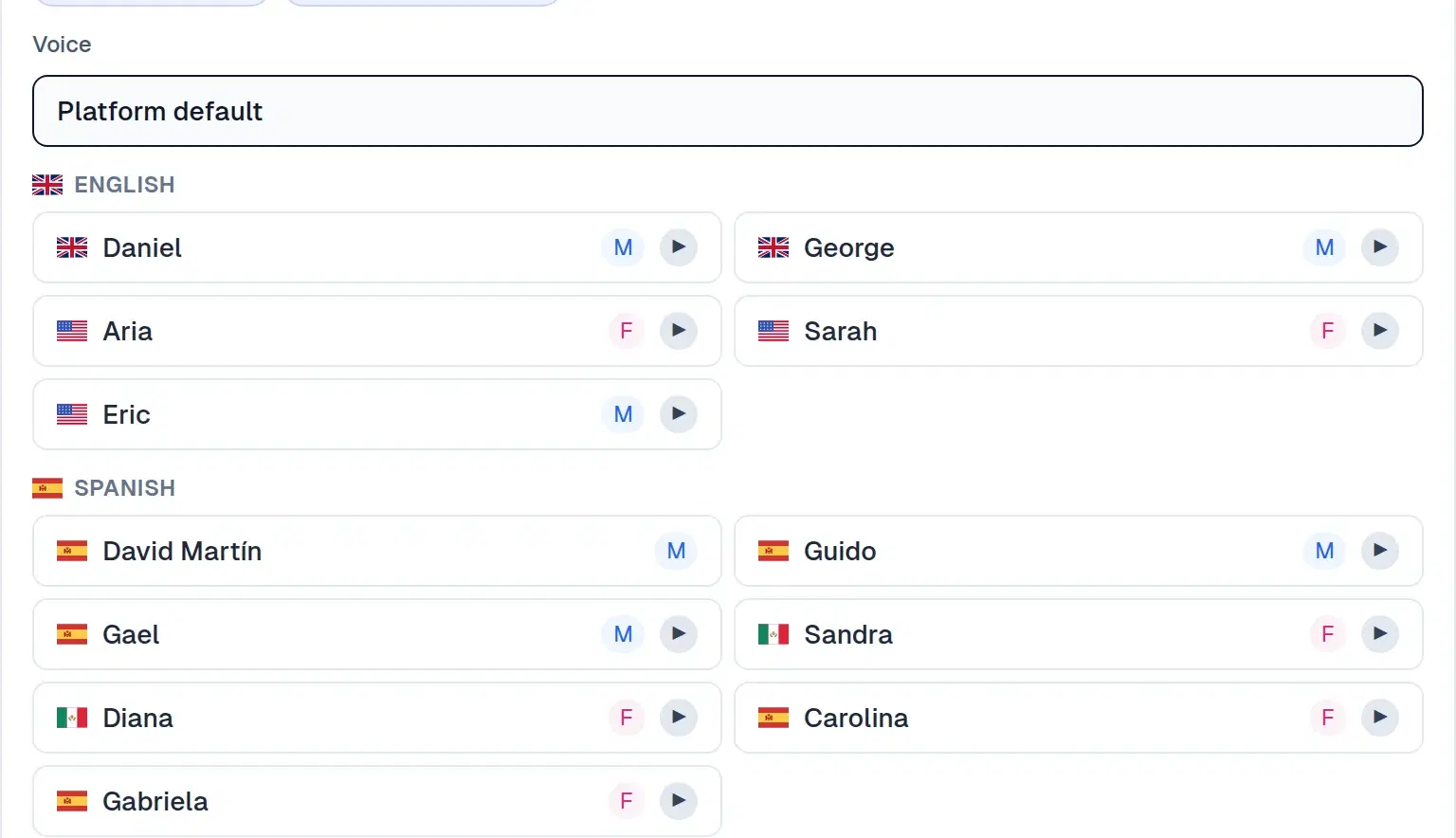
- How the agent sounds: English voices (British and American accents) and Spanish voices (Spain and Mexico), male and female. Press play to hear each one. “Platform default” is used if you don’t choose.
- Transcription Language
- The language the call will be in: English, Spanish, French, German, Italian or Portuguese. It makes the transcript, and the agent’s understanding of the caller, more accurate.
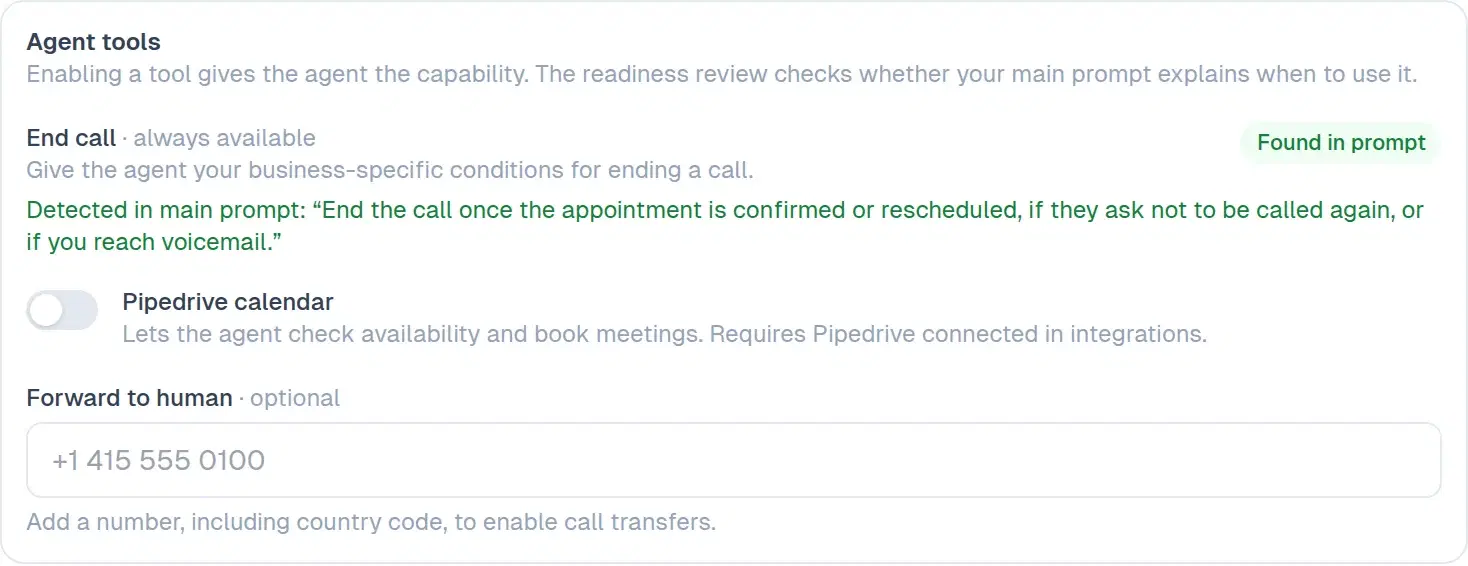
Agent tools
Tools are things the agent can do during the call besides talking. Turn one on, then explain in the prompt when to use it.
- End callalways available
- Lets the agent hang up. Write your conditions in the prompt, such as “once the appointment is confirmed” or “if you reach voicemail”. The editor shows the sentence it found.
- Pipedrive calendar
- Lets the agent check your availability and book a meeting during the call, only after the caller agrees on a time. Requires Pipedrive connected in Integrations.
- Forward to humanoptional
- A phone number (with country code) the agent can transfer the call to. Once you add one, “Transfer guidance” checks that the prompt says when to transfer.
Frequently asked questions
+Does the person on the phone know they are talking to an AI?
The agent speaks with a natural voice and follows your opening message. We recommend saying who is calling and on whose behalf in that opening message, for example: “Hi, this is Sarah, the assistant at Acme Dental.”
+What happens if nobody answers or it reaches voicemail?
The agent hangs up when it reaches voicemail or an automated menu that keeps repeating, and the call is recorded with its outcome. You can ask your agent to try again later.
+How much does a call cost?
Calls are paid with your Cody credits, based on how long the call lasts. You can see what each call used on the Usage page.